<?xml version="1.0" encoding="UTF-8"?>
<feed xmlns="http://www.w3.org/2005/Atom" xmlns:xhtml="http://www.w3.org/1999/xhtml" xml:lang="en"><generator uri="https://git.xmpp-it.net/sch/Focus" version="1.4">The Focus</generator><link rel="banner" type="image/png">https://digdeeper.love/images/button.png</link><logo>https://digdeeper.love/images/logo_animated.gif</logo><rights>DigDeeper</rights><icon>/favicon.ico</icon><title>How to choose a browser for everyday use?</title>How to choose a browser for everyday use?- Introduction -- Firefox-based browsers -- Mozilla Firefox -- GNU IceCat -- LibreWolf -- Waterfox -- SeaMonkey -- TOR Browser -- Summary -- Chrome-based browsers -- Google Chrome -- Iridium Browser -- Ungoogled-Chromium -- Brave Browser -- Dissenter Browser -- Opera -- Vivaldi -- Summary -- The Fallen Hero - Pale Moon -- Why "minimalist" browsers suck -- Summary -- Compatibility at all costs? -IntroductionLet's start with the basics. What is the point of a web browser? Originally, it was to be able to read HTML documents, but since then, the Web has changed massively, and modern browsers need to satisfy more demands. The basic terminal browser - links, w3m, Lynx, elinks - can still be used today to display websites only in text. Actually, elinks supports features that are somehow missing in "modern" web browsers (such as editing cookies, custom stylesheets or keybinding), but in the end, they can all be got back through addons. Maximum of 256 colors, no images, little or no Javascript support, limited CSS support, no loading of non-HTML content such as videos (but can load externally), and no addons make these unsuitable for modern day browsing.I could mention many other browsers here. Surf is a graphical web browser that has image and Javascript support, but no tabs or an actual user interface. Midori has everything you'd expect from a modern web browser and even includes in-built functionality to replace some of the common addons, but it's not enough. Otter Browser is a promising project with a very nice UI, but has no addon support (so far, though it's planned). Qutebrowser is a keyboard controlled browser that recently added per-domain settings, but they are inferior to uMatrix. Many of its features can be replaced by, again, addons.One advantage of these niche browsers is that they don't spy on you, but what I've learned from trying probably all of them is that, in the end, addons are
essential - especially uMatrix is irreplaceable. So, for a day-to-day browser, you have only two options: Firefox-based and Chrome-based. Since they all support the same addons (with
slight exception in Pale Moon), we will have to use some other criteria to judge these browsers. These consist of usability, privacy, customizability, philosophy, respect for the user,
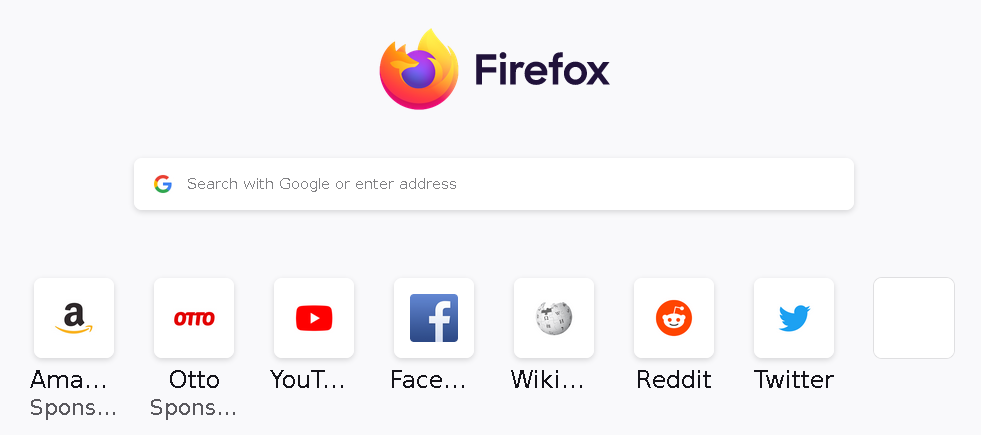
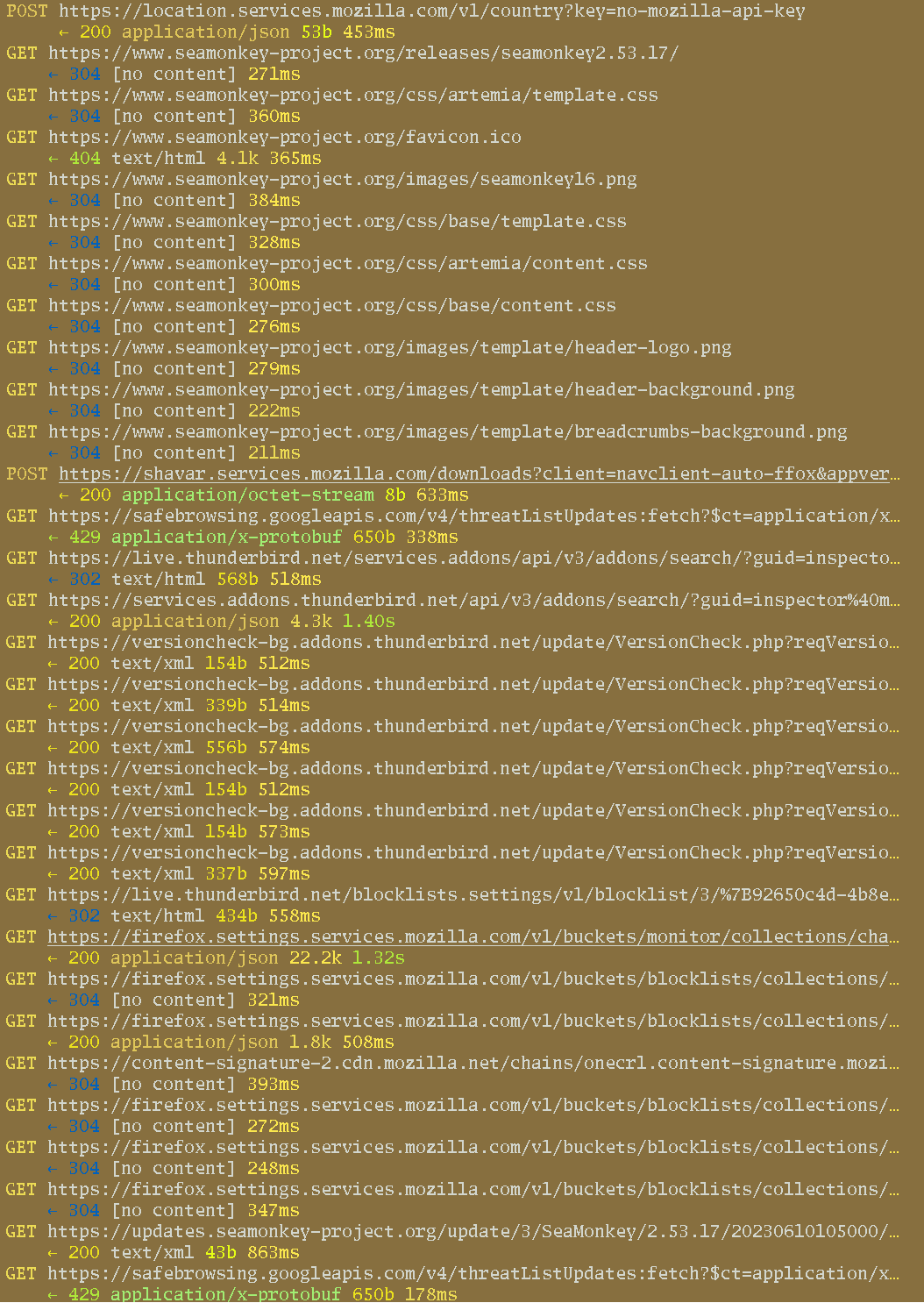
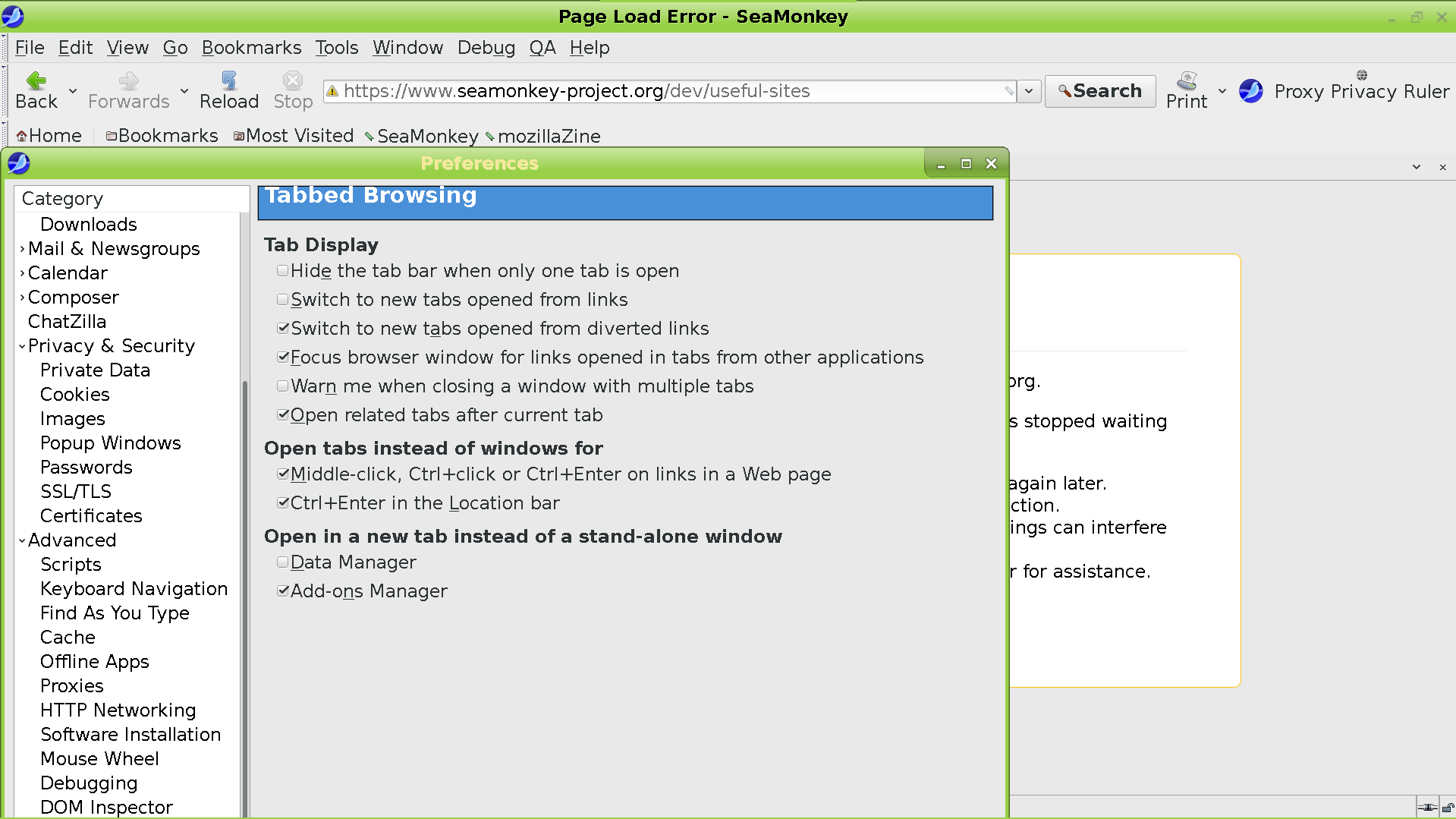
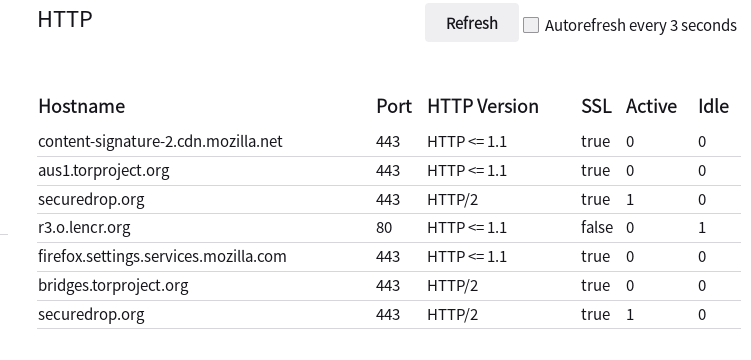
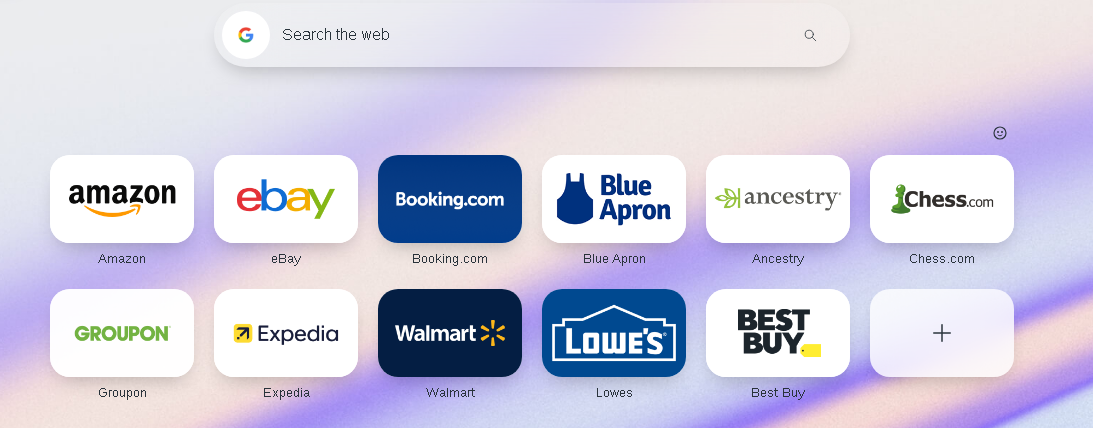
looks, and resource usage. Let's analyze them one by one:Firefox-based browsers Mozilla Firefox UPDATE July 2023: I just did some testing, in case you were wondering just how bad this browser is in terms of privacy. So, it sends 112 requests to various moz domains during your first run of it. But that's not enough for them. They have this crap called Firefox Glean that reports almost every interaction you have with Firefox to Mozilla, with a browser session ID, unique user ID, precise timestamp and various system information included. These requests happen anytime you visit a menu (Addons, Passwords, Settings, etc), change a preference, open a new tab, click through one of the four prompts that appear when you first run the browser, or do literally anything else. And every time you turn off Firefox, it sends a giant request to Mozilla containing information about pretty much the entire state of your browser at the moment of closure. It is quite eerie, if you watch it from the inside. So go whip out mitmproxy right now (it is easy) and see for yourself. This alone should be reason enough to trash this browser, but there is more. Firefox contains links to several big tech sites (that it pretends to fight) inside their New Tab page:They also kept the Directory Tiles (sponsored pages) in there, that I thought they've killed. And of course clicking either of those is tracked. The UI reveals very few options for configuration, as expected. And about:config requires two fucking confirmations to enter, and isn't intuitive at all, anyway. I could go on and on about specific issues, but to understand Firefox in more depth, you have to dig into the history of it and its corporate creator - Mozilla. You will learn why all the anti-privacy stuff is in there, why you can't install addons without Mozilla's approval, why XUL addons got deprecated, why Firefox ignores user choice in terms of proxy settings, and many other juicy details. Knowing the context behind what's going on will provide you with a lot more understanding than just burying you with more specific issues, so go read the article.But I have to mention some more relevant points for potential users of this browser. It uses ~260MB RAM with one empty tab; significantly more than that of many Chrome-based browsers and over double that of Pale Moon. It requires GTK3, like all its forks. And those are all a lot better than the original, since they at least remove some / most / all of the spying. So, Firefox itself is completely useless. What about the others? They are all dependent on Mozilla. And consider that in August 2020, Mozilla has ceased caring about technology(archive)(MozArchive), but instead fully began focusing on social issues - From combatting a lethal virus and battling systemic racism. As if it wasn't already obvious earlier, they have now thrown out 250 people mostly working on technical stuff such as their rendering engine or browser security. I suspect this is preparation for ceding control of the web browsing ecosystem to Google soon (as predicted in Mozilla - Devil Incarnate, they were always controlled opposition). I doubt any Firefox-based browsers will survive this apocalypse, to be honest. Just know what you're signing up for, while you read the below. GNU IceCat UPDATE December 2023: Someone has compiled IceCat version 115 for Linux, Windows and Mac (the last officially supported version is still the ancient and insecure 60). And so, time for a new review. Brace yourself, for I will (maybe surprisingly) have a lot to say. Anyway, IceCat is still Firefox, but scrubbed of most unsolicited connections (but still has OCSP, and captive portal detection, it seems). With the updated version, the resource usage has also been "updated" to now clock at about 300mb RAM (compared to the 120 of old versions). What makes IceCat unique are the privacy-enhancing addons coming along for the ride. IceCat uses the extension Privacy Redirect to...well, redirect big tech services to their more user respecting replacements (Invidious, Nitter, etc). Not much to say there, it is a good and obvious addition - so let's move on.As is tradition, IceCat includes LibreJS, that I don't really like; again, it has the same flaws as always, meaning lots of resource usage and the arbitrary allowance of "trivial" scripts. Additionally, it now brings with it three more extensions hoping to fix certain sites, that LibreJS would otherwise break. Is it really a viable approach to write replacements for scripts on every site which lacks the "right" license?  Funnily enough, IceCat's LibreJS implementation includes whitelists for reddit scripts - lol! And the first script there even looks quite nontrivial to me. If the licensing issue is that important to you, then stop giving passes to big tech just because they're big.Another included addon is JShelter, invented to prevent JavaScript-based fingerprinting by reporting fake data to certain JS functions. By this, it is trying to convince the site you're visiting that you're a different person than before. It's too complicated to explain it all here but let's just say that this approach is quite leaky in that it needs just one thing that cannot be faked or can somehow be detected by the fingerprinter to foil your attempts. JShelter admits it eg here(archive)(MozArchive):No. We currently do not have a consistent method that spoofs fonts reliably. If you are concerned about font enumeration, you can track the relevant JShelter issue.I don't believe that this approach is very fruitful. JS is just too complicated, it's a real language that has access to everything that the browser is doing. And you can't "enumerate badness" well enough to block fingerprinting reliably this way. For another example, see Advanced Tor Browser Fingerprinting(archive)(MozArchive). Keep in mind that even if you like JShelter's approach, it (by default) is concerned only with fingerprinting prevention - it still lets the browser execute JS functions that might be malicious. However, I guess there is no harm in JShelter being used - at least it provides some protection if you're going to be enabling JavaScript anyway. Blocking JS execution completely would be more effective, though; there's no need to fake data for functions that don't run at all (but of course, then you can't do anything that requires JS).But this is still not that great against first party fingerprinting; you're connecting to the first party domain regardless, so it can use your user agent, IP, OS, etc. to add to the fingerprint. There is no perfect way to prevent first party fingerprinting; remember, you have to convince the fingerprinter that you're a different person than before, and any single piece of data can blow your cover. The best way is to use an entirely different physical computer every time you visit that site, or at least a different OS / browser combination and also change your IP. For third party fingerprinting, it is easy - just block the connections; if there is no connection made, there is nothing to fingerprint you by.And so, we reach the final addon included in IceCat, namely the rarely seen TPRB (Third Party Request Blocker) - which actually has a lot of functionality not related to its name. For one, it is able to block Cloudflare, and can also redirect the pages behind it to their Web Archive versions - so it's a replacement for the abandoned Block Cloudflare MitM Attack. It can block specific CSS / JS functions, as well as file type downloads and do many many other things I don't care to list here. But the problem is that the defaults are very permissive - whitelisting YouTube, and again Reddit, as well as exposing you to the Cloudflare MitM rape (a decision I cannot justify at all). If you have the ability to prevent such a serious security vulnerability, why not make use of it? In terms of its main functionality (being a proto-uMatrix), TPRB does block third party requests by default - but you can only allow them selectively by domain, and not by type (so either all or none from a certain domain). Also, all third party CSS is let through - pretty much refuting the name of the addon (though you can change this, but we're talking about the defaults here).And this exposes the problem with the entirety of IceCat's design - which is that its target audience is the normie, and not the hacker. That's why JS is enabled by default, and then there are all those measures attempted to contain it. It even gives up the FSF's favorite licensing crusade just to let people use reddit. And though it includes the extremely powerful TPRB, again the defaults are so permissive as to make most of its functionality irrelevant until the user digs deep into the settings. Overall, IceCat just does not know what it wants to be; it is a weird mish-mash of blocking undesirable things but also allowing stuff through the shields arbitrarily for convenience. It would be nice to finally have a modern browser perfectly mitigated by default, but IceCat is not it. It - like all other FF forks - is also on Mozilla's leash, and this won't ever change. LibreWolf UPDATE January 2022: old review kinda sucked, I'm rewriting it. LibreWolf is to Firefox what Ungoogled-Chromium is to Chrome. At least, so it seems, but it does not take a strict stance against unsolicited requests like Ug-C does (which is also my view - zero unsolicited requests is optimal). It includes the uBlock Origin addon by default (instead of the much superior uMatrix), and automatically updates the lists for it - as well as making a request to Mozilla's servers for their Tracking Protection. Otherwise, LibreWolf is not doing anything special, just changing some settings (which can also be accomplished by the many user.js files floating around). Their issue tracker is on gitlab which is Cloudflared and doesn't work in Pale Moon; this does not affect the browser directly, but shows the developers don't respect the users or care about their privacy (UPDATE July 2024: now on codeberg, but still used gitlab for a significant period of time). Packages for some distros, Windows and macOS exist - as well as an AppImage if your distro isn't on the list. Overall, this is the way to go if you want Firefox without (most of) the privacy violations. But - since they've only got five devs on the team - LibreWolf will always be dependent on Mozilla and unable to reverse any of their major shitty decisions, so watch out. Let me reiterate, this is nothing more than Firefox with a few settings changed and uBlock Origin added on top. Waterfox UPDATE July 2023: retested. First of all, Waterfox's site is now behind Cloudflare. Even then, the download links are still on Github, so at least you can download this browser without dealing with the great MitM. Or so it would seem, but Github doesn't work properly in Pale Moon, so you're limited to the download of the beta version (which doesn't even run on my machine). I had to use a third party AppImage to test this; a total incompetence on the devs' part. The downloads should be hosted locally and Cloudflare should be ditched! But okay, I've grabbed the AppImage. What happens next?Last time I used Waterfox, it made 100+ requests at launch. You'd think that after 4 (?) years the devs would have learned something, since they use privacy(archive)(MozArchive) as a selling point:What you do within your browser stays with you. We don't need to know. Telemetry is disabled within the browser - and only limited data collection is used to keep your browser up to date and secure.And yet - at launch - Waterfox has immediately connected to:Mozilla's Location servicesMozilla's Shavar servicesMozilla's Push services(archive)(MozArchive) - We store your IP address for 90 days as part of this service.Firefox Settings services (unique ID and precise timestamp included)Their own page, which in turn made many requests trying to load Cloudflare's captchaMozilla again, to download a bunch of lists for Tracking Protection http://ciscobinary.openh264.org/ to download some codechttps://accounts.firefox.com/metrics-flow?entrypoint=aboutwelcome     with a device ID includedMore Firefox Settings to download URL lists for who knows whatThen - when I thought it's all over - Waterfox started making hundreds of requests to  https://firefox-settings-attachments.cdn.mozilla.net/security-state-staging/intermediates/[randomstring.pem]. When it reached 700 I knew it's going to go on forever (and crash my mitmproxy eventually), so I had to shut the browser down. It seems that disabling OCSP kills the requests, so I was able to resume testing after relaunching. How does this kind of crap get past the testing phase, if this browser even had one?Bing is the default search engine, which is quite the embarrassment for a browser advertising privacy. And they even submit every typed letter to it separately for suggestions, by default...ugh. This doesn't seem like a privacy-based browser. Hey, I even disabled everything I found suspicious in the Settings menu, and yet, Waterfox keeps connecting to crap. Yeah, I could probably kill that in the dumpster known as about:config, but your mom won't be able to. And if a browser markets itself as privacy-based, it needs to be such for everyone - not only tech enthusiasts. To me, Waterfox isn't even a little bit privacy based, unless just being an improvement over Firefox is enough to qualify for that category. Its Sync functionality even parasites on Mozilla's service, which is quite pathetic and of course will share your data with them, again. Remember how they claimed only limited data collection is done? Well, they can't control that since they depend on Mozilla for so much functionality. They do not even have their own Addons store, so they have to hope that their overlords Google and Mozilla won't eventually just start deleting undesirable addons.I really do not see the point to this browser. All it does is change a few settings of Firefox to become slightly less violating. But it can't even disassociate itself from Mozilla, what with being integrated with Firefox Accounts, using Mozilla for location, push, codec downloads, etc. And all of that means massive amounts of data collection that Moz is famous for. Hey, you have a few more options in the Settings menu...you can put your tabs at the bottom. Who really cares, there are surely extensions for this. You can auto-hide the bookmarks bar and the back / forward buttons, which appear to be the only useful new options. Waterfox even uses up more RAM than FF itself, clocking at 300mb. Never knew what's the big deal about this browser, and I still don't all these years later. They seem to have done nothing but to include a few more cosmetic options in the UI, most of which (like the Square ones), are barely noticable; and more spyware compared to the 16 requests that a tester reported to me a few years back. Ignore the shilling and avoid. SeaMonkey This will be short and might not be completely technically accurate, as this browser has too many flaws for me to bother with it. As expected from FF offshoots, it spies on you. Here are the requests that SeaMonkey sends at launch:First, we have it connecting to Mozilla's location services, who then obviously learn your location. Then a bunch to SeaMonkey's own site. The shavar thing has something to do with Google's Safe Browsing, and can only be disabled from the dumpster known as about:config. Later, the actual download of the Safe Browsing lists that comes every 30 minutes. Updating addons through Thunderbird's (Mozilla's) site; hey, I don't care to be telling Moz what browser or OS I'm using, okay? Why not use your own site for updates? Downloading blocklists again from Thunderbird's site, this time telling Moz whether you use Pulseaudio or not. For some reason SeaMonkey connects to a firefox.settings domain...fuck it, I'm tired of this. The only justifiable requests are those to SeaMonkey's own domains for update lifting, but even they should be disabled by default. SeaMonkey clearly doesn't care about user privacy too much, though it's miles better than vanilla FF in that it doesn't track your specific movements.SeaMonkey uses XUL (like Pale Moon), so FF addons are incompatible with it. Though the rendering engine is actually Gecko, so you get Firefox's website compatibility. In terms of the addons, however, it seems somehow different in its internals than Pale Moon, because PM addons don't work with it, either. So extensions have to be specifically coded for SeaMonkey support, and it seems not many people care about that. No uMatrix here, my friends! Therefore, effectively, this browser becomes minimal-like at least in terms of content blocking capabilities. Even if all the addons worked, this browser requires you to add obnoxious custom about:config entries so that they are actually allowed to be installed. Can I get a browser that doesn't treat me like a Down's syndrome patient and exposes all its functionality through the UI? Even better, just take off all blockages by default and I'll deal with any eventual breaks, thank you very much. SeaMonkey also includes an IRC client, RSS client, and mail client inside it, which is just pointlessly duplicating stuff I already have (and I have tested none of them). But I guess some people like it all in one place, so if you're one of those, SeaMonkey might be right up your alley. And you can use only the web browser part if you want to. RAM usage is 120mb, similar to old versions of IceCat. GTK3 is required, and a cursory look tells me this browser doesn't really have a lot of support at all. It seems that the only semi-positive of SeaMonkey is that the UI is still old school, with separate menus and many options. But that's surely not enough and Pale Moon is still way superior. TOR Browser Auto-updating piece of trash. Enforces connections to the TOR network (which can also be done in any other browser), but will not even run if you have TorDNS enabled system-wide (Failed to bind one of the listener ports). UPDATE: it was reported to me that this issue can be fixed by changing the default torrc ports away from what TB uses, but I did not confirm this myself. Default addons include NoScript, which is much inferior to uMatrix. Yet, the TOR Project discourages modifying the addon setup, even though the whole basis for this has been refuted by Moonchild(archive)(MozArchive). Yes, a properly configured Pale Moon is better against fingerprinting than TB. TOR Browser is still dependent on the evil Mozilla - which means that when a bug like this(archive)(MozArchive) happens (yes, the one that disabled all addons) TB is also affected, and its security laid bare. Using TOR Browser does allow you to bypass Cloudflare browser checks, but this is likely because they work together to help Cloudflare spy on people wanting to be anonymous, making TOR Browser a honeypot. This is further supported by the fact that the TOR Project deleted a ticket criticizing Cloudflare(MozArchive) - but left all other tickets alone, proving it was not because of a pedophile attack, like they claimed. I see no reason to use this browser, really, when PM can be configured to use TOR all the same, with all the other advantages. TB also includes a few unsolicited connections (aside from the updates) that are hard to disable. UPDATE August 2022: more requests have surfaced, and the securedrop one cannot be disabled according to a contributor:UPDATE May 2022: it was just reported to me that, even after mitigating the spyware(archive)(MozArchive) in this browser, it just comes back after an update - so the mitigation has to be repeated. See the danger with indiscriminate (and especially automatic) updating now?I mean, let's be clear here about what TOR Browser even is. It is just Mozilla Firefox with a few changed settings and TOR enforcement. It is not magic. And it still makes unsolicited requests (which are violating), so it's not a hero. Look at what they say in their design document(archive)(MozArchive):In general, we try to find solutions to privacy issues that will not induce site breakage, though this is not always possible.Keystroke fingerprinting is the act of measuring key strike time and key flight time. It is seeing increasing use as a biometric.

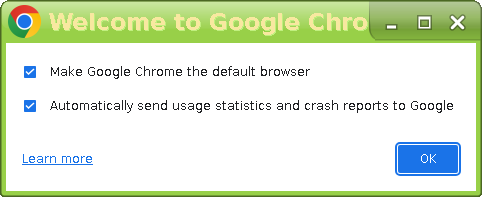
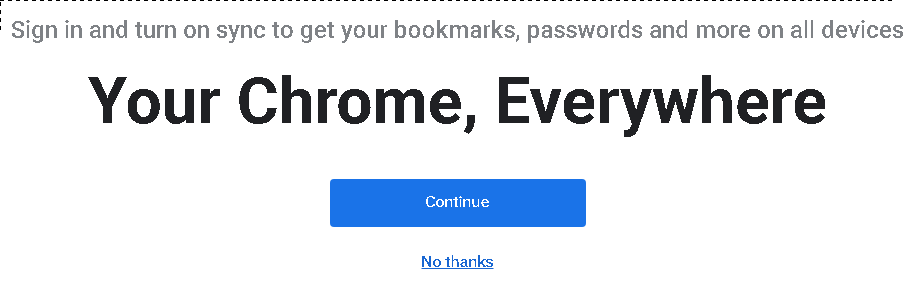
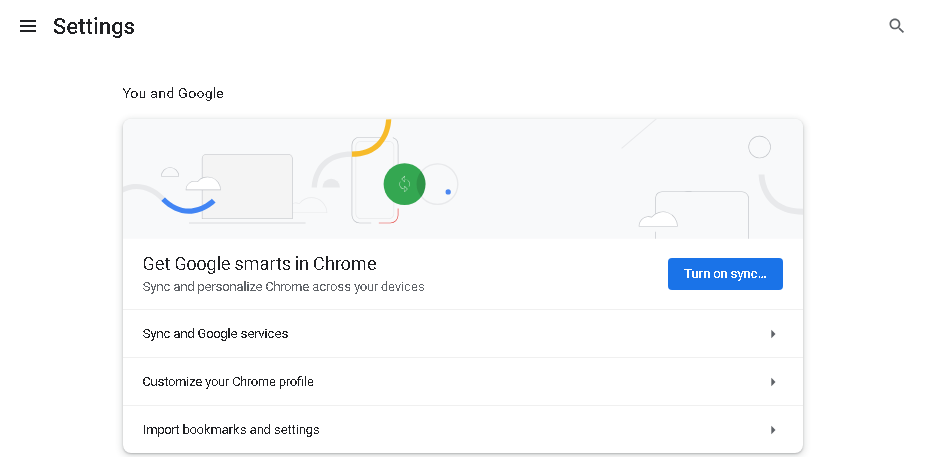
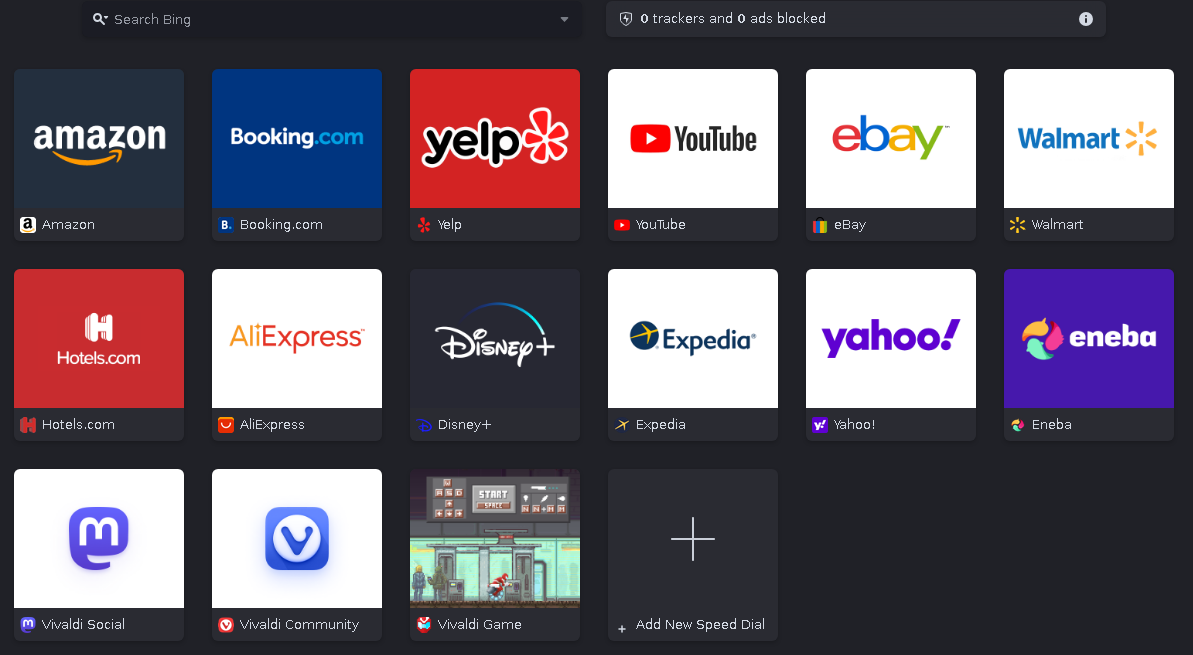
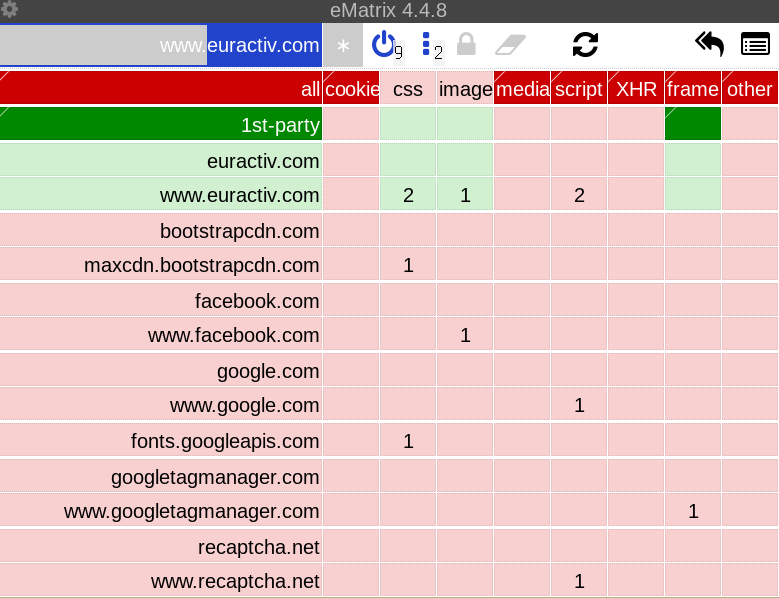
Design Goal: We intend to rely on the same mechanisms for defeating JavaScript performance fingerprinting: timestamp quantization and jitter.So instead of just disabling JavaScript by default, they try to submit fake data for every value that could possibly be used to fingerprint you. This is just enumerating badness and inferior to the uMatrix approach of blocking it all by default. It is impossible to have a truly mitigated browser when you allow websites to do whatever they want; but the TOR Browser - hoping to avoid site breakage - is trying that, regardless. When it is the bloated sites and the technology they are based on that are the problem.How likely is it that the TB approach will continue to be fruitful (assuming that it even is now) when Mozilla keeps adding more attack vectors like WebAsm, new JS / CSS functions, etc? TB should probably be based on something lighter, with no JS support at all, maybe a Lynx derivative. But then is TB even needed in that case, instead of just hooking up Lynx to TOR? Maybe it's time to realize that there are fundamental problems with the web that can't be fixed with a bunch of bandages that TB provides.SummaryFirefox is absolutely terrible and its forks have not much to be proud of either, as we can see. Though some of them do remove (some or all of) the spyware problems, they either add their own or have some other issues, like IceCat's incompatibility with Flash Player and lack of updates, or Waterfox' shady ownership. And all require GTK3. LibreWolf, the only project with actual potential, has been abandoned resurrected, but still only a few people are involved. The other, more important reason to avoid Firefox-based browsers is that they are all still dependent on the evil Mozilla. If they ever officially cede control to Google (as is already happening in all but name(archive)[MozArchive]) - the whole Internet will be pretty much taken over by an even more evil corpo. I have predicted this in the report above, but it was somewhat speculative at the time. Now, it's pretty much a certainty it will happen in a few years. UPDATE August 2020: Mozilla is self-destructing (see above) so a Google owned web might soon become a reality. Knowing this, it is obvious Chrome forks can't be any better, but let us check them out anyway:Chrome-based browsers Google Chrome Everyone knows what this is, so let's move on to the specifics. First of all, this browser has quite a few dark patterns. Upon turning on Google Chrome for the first time, a window appears with two options: making Chrome the default browser and enabling the sending of crash reports. Both are on by default:When you reach the main browser window, you are pestered to login to your Google account:The same happens when you enter the Settings menu:Yes, that's the Settings menu. To enter the actual settings, you need to click those three lines on top. Anyway, if you do end up logging in, it might be the biggest mistake of your life as Google will now be grabbing everything(archive)(MozArchive) you do in the browser and connecting it to your real life identity from the Google account:When you’re signed-in and have enabled sync with your Google Account, your personal browsing data information is saved in your Google Account so you may access it when you sign in and sync to Chrome on other computers and devices. Synced data can include bookmarks, saved passwords, open tabs, browsing history, extensions, addresses, phone numbers, payment methods, and more.It is important to realize just how much privacy you lose this way; for example, you are sending your browsing history to Google, whereas otherwise, it stays local. But, you don't have to use this feature, and then you're left with "only" the heavy spyware Chrome has by default. Google tells you exactly what they do, in excruciating detail, in the whitepaper linked above. Unlike Mozilla, they are actually transparent. But , of course, always confirm everything with mitmproxy. I can tell you one thing for sure: the spying isn't even close to what FF does; there is no equivalent to Firefox Glean that monitors every interaction you have with your browser. I don't see three different requests appear every time I click a menu or change a pref in Google Chrome; I can actually modify settings in peace, knowing it's not all sent in real time to Google - with system info, unique IDs and other crap included. Don't be fooled though, Chrome is still heavy spyware, as their privacy whitepaper will gladly tell you. There is so much of it, I kind of can't be bothered to analyze it in detail; just read the whitepaper, if you care. There are many Chrome forks with (some / most / all of) the spyware removed, so we shouldn't spend that much focus here. I'll give a few examples, though:Chrome sends an update request on launch, that includes your OS, kernel version, browser version, installation method, bunch of processor info, RAM amount, and unique ID.Chrome sends update requests for what seem to be extensions (even though I didn't install any). These seem to 403 if running through TOR.Chrome, like most other browsers, has SafeBrowsing enabled by default, and downloads the lists for it every 30 minutes.Chrome still appears to have "recommendations" (ads) in your New Tab page, and has to download them every so often.Chrome has Google as the default search engine, and sends every letter you type in there separately to its overlord. Meaning they pretty much know what your thinking process is.Chrome has an option to Continue running background apps when Google Chrome is closed that is enabled by default, suggesting that it does what it says.For more, read the whitepaper or fire up mitmproxy. When I tried to de-spyware Chrome, I didn't even come close; the waves of update requests still kept coming. Moving on... as you can imagine, the amount of options revealed in Chrome's UI is relatively little. There isn't even the dumpster known as about:config, so it's worse than FF in terms of customizability. The most egregious issue is that proxy settings can't be set through the UI; not only that, but running Google Chrome through proxychains will error out. So the only option to set a proxy is an in-built command line option - meaning you have to trust that Chrome respects the proxy.There are no special features in Chrome, it's all going to have to be added through extensions. Keep in mind that due to Manifest V3, certain functions are inhibited and eg. the full version of uBlock Origin doesn't work anymore (in Chrome and all its forks). The amount of RAM usage with one empty tab - in my testing - was 170mb. Though I guess the system configuration matters somewhat, since others reported 140. GTK3 is required; actually, I had a problem running this browser at all since it seems to depend on several new libs, and I still base on Slackware 14.2. And the errors are kind of unintuitive, but I managed to figure it out, eventually. Since it's big corpo Google, the developer of the most advanced browser engine Blink, you can expect the most compatibility with the modern web out of all browsers. Which I guess is what made Chrome so popular in the first place (aside from being the default everywhere, of course). Well, it was kind of fun testing this, but now I'm going to trash it (still feel kind of dirty). Of course, Google Chrome is still pointless to use, since we have many derivatives that lack the spyware and are fully open source. Check out some of them below: Iridium Browser Everything in this browser is the same as Chrome except less data collection and fully FOSS. Billing itself as A BROWSER SECURING YOUR PRIVACY. THAT’S IT, it actually fulfills the claim aside from a few spyware issues still left in. Specifically, your private Iridium Browser will make a connection to Big G every 30 minutes to download their Safe Browsing database - what a joke. The devs have reacted dismissively(archive)(MozArchive) to the issue, plus have sneakily added more recent spyware(archive)(MozArchive) - so I don't think they're to be trusted. UPDATE June 2022: this browser is slow to update, and has packages only for a few distros (plus Windows and Mac). There's no AppImage or portable build, making installation a bigger problem. This was my browser of choice for a long time (until I found the one below), but it doesn't do anything aside from disabling automatic connections - and not even all of them, at that. If you want a private Chrome-based browser, this one is a much better choice: Ungoogled-chromium Unlike Iridium, Ungoogled-Chromium actually disables all automatic connections and other Google integration. The dev is also a really nice and skilled guy (at least he doesn't have a problem with people reporting stuff - unlike Pale Moon, or worse - Mozilla). However, keep in mind the Chromium codebase is massive, and it's doubtful this single guy can keep up for long (then again, he does lift patches from other similar projects such as Bromite, and has a helpful userbase). He's doing better than the Iridium team, though - with his browser being much more up to date. In the end, Ungoogled-Chromium is still just a bunch of bandages applied to Chromium, and keeps Uncle G in control of the Web. There are not any real features added beyond the privacy fixes and a few CLI options(archive)(MozArchive). Still, it is surely the best Chromium fork out there if a Google monopoly doesn't bother you. The packages are available only for a few distros (plus Windows and Mac), but fortunately, there's an AppImage as well as a portable build that work everywhere. Brave Browser This browser has made waves thanks to its built-in privacy protections - such as AdBlock, HTTPS everywhere and script blocking - but in the end, they are outclassed by uMatrix. More than that - after checking them out, I can confidently say the Shields are pretty useless - the vast majority of trackers are left alone; in fact, sometimes it seems that a site can have hundreds of them, and yet none of them will be blocked by the Shields. Script blocking option simply blocks JavaScript fully - it's just NoScript revisited. Brave used to be able to install Chrome extensions only from source, but now does it the same as the other Chrome-based browsers. Despite those, it not only spies on you(archive)(MozArchive) but is actively working against your privacy by whitelisting Facebook and Twitter trackers. Brave has also been soliciting donations in the name of other people without their consent!Here(archive)(MozArchive) is a thread discussing the issue. UPDATE August 2020: since I wrote this, more shady shit from these guys has surfaced. For example, not only do they have sponsored backgrounds(archive)(MozArchive) (recall Mozilla's Directory Tiles?) in their New Tab page but they were also earning big money(archive)(MozArchive)  from the included affiliate links without telling you (this is illegal and they've locked the convo as expected)! More recently, they were caught rewriting typed web addresses(archive)(MozArchive)  to add referrals for various partners. Brave Browser also has auto-updates(archive)(MozArchive)  that cannot be disabled which is extremely malicious (complete with a closed topic, of course - in a Mozilla-esque fashion). The only real reason to use Brave is their so-called Brave Rewards program with which you can earn their Basic Attention Tokens in exchange for watching ads (displayed as system notifications). Here's the catch: to pay out their BATshit tokens, you need an account on Uphold, whose Privacy Policy(archive)(MozArchive) states this:To verify your identity, we collect your name, address, phone, email, and other similar information. We may also require you to provide additional Personal Data for verification purposes, including your date of birth, taxpayer or government identification number, or a copy of your government-issued identificationFacebook tier surveillance. But wait, it's not over:We may obtain information from affiliated and non-affiliated third parties, such as credit bureaus, identity verification services, and other screening services to verify that you are eligible to use our Services, and will associate that information with the information we collected from you.They will also stalk you all over the Internet to try to find already existing information. There are still more violations coming, so sit back and watch:Uphold uses Veriff to verify your identity by determining whether a selfie you take matches the photo in your government-issued identification. Veriff’s facial recognition technology collects information from your photos that may include biometric data, and when you provide your selfie, you will be asked to agree that Veriff may process biometric data and other data (including special categories of data) from the photos you submit and share it with Uphold. Automated processes may be used to make a verification decision.As soon as I thought I've found the biggest privacy violator possible, the cold hammer of reality struck that stupid idea right out of my skull. Anyway - again - the only way to pay out BATshit tokens is by using this service. Even then, you can only do it once a month and Brave still swipes 30%(archive)(MozArchive) of it - You’ll earn 70% of the ad revenue that we receive from advertisers. This is portrayed as a way of revolutionizing the Internet ad industry - the middlemen and platform operators capture most of today’s ad revenue, while creating malware distribution and ad fraud opportunities. Brave Rewards upends this broken system and provides a new way forward for creator support. However, the real revolution will happen when the whole ad business model is dead and buried, or even better - when content creators don't need to worry about "earning a living" because the capitalist monster has been slain or at least put on a leash. For now, you can just support the sites you like directly with Bitcoin (or better - Monero), anonymously and on your own terms. All you need is a wallet and a person you want to donate to. Anyway, at the beginning I was way too forgiving for Slave (certainly nothing Brave about it) Browser - let it rot along with all the scams they're pulling. Dissenter Browser This Brave fork was whipped out in literally a few days in response to the recent wave of censorship from Twitter, Facebook, Mozilla etc. Its claim to fame is being integrated with the Dissenter extension (banned from Firefox's and Chrome's extension stores(archive)(MozArchive)) which allows you to comment on any article from any website, bypassing their censorship policies. Quite handy. To use it, however, you need to sign up for their social network, which requires ReCaptcha (devs have dismissed the issue(archive)(MozArchive)). Then, to post a comment, you of course have to share the site you're on with Dissenter, which - if used extensively - could build quite a profile of your browsing history. Who's to say they won't run away with all that data then? Their privacy policy(archive)(MozArchive), consisting of one fucking sentence says literally nothing about what they collect and share, so you might assume it's everything with whoever. As for the browser, it contains the usual Brave shit like Shields, whitelisted trackers and safebrowsing. In addition to those - whenever you open a new tab, Dissenter will connect to a bunch of news sites and youtube, as well as clearbit to download their icons; fortunately, this can be disabled. Their site is also cloudflared, which means all your history and comments will be shared with the evil tech giant(archive)(MozArchive), MITMing from the shadows. All in all, this browser is just a fad riding on the current anti-censorship climate. In fact, I'd say it's very likely a honeypot designed to collect the browsing and comment history from as many people as possible and share them with the great centralizer (Cloudflare), to help eventually create an Internet that is fully controlled by the rulers. The idea is nice (and I hope someone worthy repeats it) but the execution could not have been worse. Run the fuck away faster than you would from an angry, rabid dog! Speaking of dogs, the Spyware Watchdog has an in-depth review(MozArchive) of some other issues with Dissenter. Opera UPDATE July 2023: I did some testing (as you could have guessed :D). 83 requests at launch to various Opera and Google domains. There is nothing like Firefox Glean that monitors your entire browser activity, so at least it seems you can change settings, etc in peace. But, Opera has a spyware feature that is probably the most violating in existence, namely that it sends every website you visit to itself (through the request sitecheck.opera.com), collecting your entire browsing history (fortunately, you can disable this). Even though Opera has recently whined(archive)(MozArchive) about being called a spyware, nothing has changed; the amount of unsolicited requests at launch is even exactly the same as all those years ago(archive)(MozArchive).This browser has a lot of features, and has included many new ones since I last tested it. Integration with spyware platforms like WhatsApp and Telegram is still there, but also ChatGPT as a recent addition. A "VPN" that is probably a Chinese honeypot since Opera is now owned by a Chinese company. Automatic currency conversion, built-in adblocking (but not enabled by default; the acceptable ads list is automatically downloaded from Adblock Plus and reports your browser). Wallpapers, cryptocurrency integration (I'd be wary of using this, but didn't test in depth), IPFS, many many more things I didn't even look at; even has weather reporting in its new tab page which of course sends your location. And a bunch of ads (these are location-aware):By default, it does the same crap as Google Chrome in sending every letter you type to its search engine live. But it's modifiable and you don't even have to use Google as the search engine - though the defaults are disgusting, and they matter. I don't really like this browser; it's really heavy spyware and isn't even open source - but does contain many many features not found elsewhere that will surely appeal to some. Uses 260 mb RAM with one empty tab; requires GTK3 like all Chrome-based browsers. Hey, WebRTC can be nicely disabled from the settings menu, which is a positive, I guess; but again, the default sucks. In the end, you have to stack the features against the spyware and the lack of source code; for me, Opera is still in a losing position since extensions can replace many of the features, while the spyware remains. Hey, I even tried to disable all the spyware just to be charitable, but it's not possible. There are still auto-update requests at every Opera launch, requests to Google for some updates, requests to download the location-aware ads with a unique ID attached, and even a TCP request to mtalk.google.com. Sorry, but your features are not enough to save you from being a violator. Vivaldi UPDATE July 2023: It's time for another checkup at the examination table for Vivaldi. Privacy-wise, it's still doing this crap(archive)(MozArchive):When you install Vivaldi browser (“Vivaldi”), each installation profile is assigned a unique user ID that is stored on your computer. Vivaldi will send a message using HTTPS directly to our servers located in Iceland every 24 hours containing this ID, version, cpu architecture, screen resolution and time since last message.As well as sending a bunch of requests to Google to update its extensions right at launch (but hey, I don't have any extensions yet - so what's the justification for it?). Also uses Google for the Safe Browsing threat list downloads every 30 minutes, as many other browsers thoughtlessly do, too. When you finish Vivaldi's setup wizard, it tries to load its start page, which is behind Cloudflare. If you're running Vivaldi through TOR, the CF page will refresh in perpetuity, and never let you in while it keeps making requests - what a blunder! No matter, I don't care about its shitty start page, let's check out some other things. Like the New Tab page being full of crap by default:You can delete all this, but why should you have to? Let us set up our New Tab pages as we want to - without having to take out the devs' trash first. I can understand having the Vivaldi links in there, but why the others? Moving on to Vivaldi's actual features, let me repeat what I've said three years ago:It's still the most featureful browser out of the box (mouse gestures, screenshots, web panels, notes...) and boasts massive amounts of customizability (in regards to tabs, bookmarks, keyboard shortcuts that no other browser can change by default)Now you can add themes, menu positions which are fully modifiable (very good feature that more software should implement), in addition to the above. Though, it lacks gimmicks like Opera's ChatGPT, so I'm not even sure it's the most featureful now. Bing is the default search engine except for private windows, which use DuckDuckGo (is this an admission that they are violating the users' privacy in the non-private windows? haha...). Many many options, in terms of how it all works, that I don't care about that much, since I won't use this browser. The spyware and shitty defaults (even a PDF reader is enabled) simply take precedence over anything good it might have in terms of features. It also doesn't release the full source code and the phoning home every 24h can't be disabled.Vivaldi also brings along a mail client and a RSS reader, which I didn't test at all. RAM usage clocks at 290mb with one empty tab. Again, many people will like its features - but they do not cover the other flaws. And most of those are replacable by extensions, anyway (even Pale Moon has a mouse gesture extension). I do like some of the things it's doing though, and wish they could be picked up by others - like the movable menus and modifiable keyboard shortcuts. But it's not enough considering the spywaristic and babifying defaults. Translation offers will even appear when you visit a foreign web page; holy shit, I hate all kinds of pop-ups!  Whether they come from websites or the browser itself. Let the user choose when they want to do something.Also, I have to mention one more thing that really annoys me. It seems that the font sizes for the browser UI itself can't all be modified, so if you sit far away from the screen and use a big font (like I do), you'll have to come near to read the tiny font every so often (like every time you right click). Even if this browser was otherwise perfect, this one flaw would truly ruin everything, ugh. Anyway, there is clearly some potential in this browser, just brought down by a few bad choices / maybe lack of polish or  general care. Minimalists won't like it, either.SummaryThe situation with Chrome forks is better than Firefox ones - there are more of them and they are more commonly updated. We've got more variety in terms of features, included addons, looks (though all require GTK3), philosophies, etc. But something seems to be missing. The ones with more features introduce their own problems such as custom spyware, false advertising, lack of ethics, even less speed, or crashes. The ones removing all the spyware don't introduce anything new. And they all still rely on the Blink engine (and thus Google). And since Google keeps including anti-user changes(archive)(MozArchive), the forks will have to remove / modify those in the code, which some of the smaller teams might not be able to eventually keep up with. UPDATE January 2026: I don't care that much about browsers anymore, but just thought I'd tell you that none of the Chrome forks ended up resisting Manifest V3. Though Brave hosts forks of four of the affected extensions, it's set to give them up(archive)(MozArchive) - This feature will be best-effort: we might have to modify support based on either Google’s plans or what extension authors ultimately decide to do. If extensions become stale or obsolete, we may remove support for them[...] at some point. The rest simply fully cucked. All journalists that talk about "browsers that still support manifest V2", or similar things, are misleading you. None of them are commited to actual lasting support; it's either "until Google finally pulls the plug", or "we have an in-built replacement" (but the affected extensions still don't work). Do you now see the problem with relying on a protocol / language / engine controlled by Google (plus its allies Microsoft, Apple, Mozilla, which work together in all major decisions)? What if Manifest V4 is even worse than this? Are we really stuck with desperately trying to patch up the big corpo abominations? The Fallen Hero - Pale Moon It used to be fucking good - and still has several advantages over FF / Chrome such as independent development, lack of some antifeatures, less vulnerabilities(archive)(MozArchive), XUL addons support, better UI (also the only one that can use GTK2 instead of 3), smaller codebase, and more customizability. UPDATE: oh, and it consumes only 100MB RAM with one empty tab. I also want to compliment it on having very little spyware (which sounds funny, when the default in software should be no unsolicited requests - but in this fucked world, we have to take what we can get). On launch, Pale Moon connects only to its start page, which is Cloudflared and blocks TOR, so I couldn't reach it anyway - lol. That's nine requests. A while later come the requests for the addon blocklist and the update check. That's it, and it can all be easily disabled. Funnily, it seems none of those requests end up doing anything if using TOR, because CF denies them. This sounds like quite the significant flaw, preventing browser functionality because of your attitude towards anonymizing networks. Before we move on to other issues, please realize that this browser is still miles ahead of any of the other major ones due to having actual customizability, XUL addons, not being chained to big corpos (as much as the others, at least), GTK2 support, and actually disabling some "modern" things on purpose. However, it recently went off the deep end so much that I cannot in good conscience call it an "alternative" to anything anymore. Let me give some examples:Blocking the AdNauseam extension(archive)(MozArchive) due to allegedly causing economic damage to websites. But actually, it's the ads and trackers that are causing human damage(archive)(MozArchive) and if extensions such as AdNauseam help kill the "economy" based on them, they should be praised instead of banned. Re-enabling AdNauseam requires fiddling with about:config.NoScript was another extension added to the blocklist with the "rationale" that it breaks sites (that's how it achieves its security and other benefits - same as uMatrix or adblockers). There is a big scary warning(archive)(MozArchive) but fortunately, you could still use the extension.Pale Moon's website (including the addon search integrated into the browser) is behind the evil Cloudflare MitM. The CF-loving lead dev thinks it's fine(archive)(MozArchive) for people to be violated by CF without being notified (or worse, a way to resist) and goes around sharing that message.He also hates the TOR network(archive)(MozArchive) because the people using it dare to protect their identities or stand up to their oppressive governments.A contributor created a backup of Mozilla's XUL docs(MozArchive) (that they want to delete in December 2020) and got dubbed an insect(archive)(MozArchive) for it by Tobin, the other main developer.He is also insulting long time contributors(MozArchive) even in commit messages for petty reasons(archive)(MozArchive).They both have hounded the OpenBSD packagers(archive)(MozArchive) because they wanted to use system libs which would be deviating from official configuration - something the PM devs hate. They also hardcode compiler parameters, especially with libvpx to use specific opcodes instead of using whatever the user or operating system sets ${CFLAGS}/${CXXFLAGS} to, breaking portability with different CPUs and operating systems.Pale Moon now has WebAssembly enabled by default(archive)(MozArchive), the whole point of which(archive)(MozArchive) is pushing cancer such as AAA games that have heavy assets, VR and augmented reality and Live video augmentation onto web browsers. Talk about scope creep! It pretty much turns your web browser into another operating system since it's literally assembly to which you can compile other languages and run all kinds of "apps". Of course, you can imagine all the new security vulnerabilities coming along with that. And just a year ago it was a not recommended technology(archive)(MozArchive) ...And the icing on the cake - they've now started forbidding direct addon downloads(archive)(MozArchive)  - much to the dismay of many(archive)(MozArchive)users(archive)(MozArchive). Tobin has called wanting to actually have control over your extensions obsessive packrat tendancies.. and Moonchild followed with hoarding addiction. Now contrast that attitude with the quotes on their main page - Your browser, Your way or offering full customization. Doesn't this sound familiar?UPDATE Nov 2020: the straw that finally broke the camel's back - the removal of global custom user agent. Whereas the other malicious changes can be kind of justified with some twisted reasoning, this one is absolutely impossible without going directly against Pale Moon's stated goals, such as customization (the main page mentions it three times). See, Moonchild thinks(archive)(MozArchive)  that the global override is a terrible Web Compat footgun that the users shouldn't have access to. Of course, it's somehow fine to allow UA setting per site or request, despite it being terribly inefficient. Even then, a global custom UA actually helps web compatibility by sneaking past those UA-sniffing sites (which will not stop existing anytime soon). All of this is besides the point though - what matters is that the users should be able to shoot themselves in the foot if they so desire, and this recent change goes against that. For honesty's sake, let me say that Moonchild reverted the change - but only because of the huge backlash(archive)(MozArchive) on the forums. The fact that this was an idea in his mind for even one second proves he doesn't give two shits about freedom, customizability, or user respect.UPDATE April 2021: so I called Pale Moon a sinking ship some time ago. I hate to be the bearer of bad news but it's clear it has actually sank now. The reason? You cannot install(archive)(MozArchive) extensions from the Classic Addons Archive anymore - just because Sensei Moonkid decided so. Hope you got out in time!UPDATE March 2022, Tobin left(archive)(MozArchive). Is this the event which sends Pale Moon to the grave?UPDATE March 2023: Pale Moon addons store is now Cloudflared, and you cannot install extensions through TOR. Sure, Moonchild, go ahead and kill your browser if you're so eager to do so.And with that, it's obvious that Pale Moon is a sinking ship. A few months ago I've said that the browser is in the beginning stages of degradation. Now, the stage is clearly advanced, the cancer has metastasized and cannot be removed anymore. Pale Moon has become exactly what they've fought against for so long - Mozilla-lite. It's still a good enough piece of software (and the only decent one for browsing the modern web) - but one I cannot recommend anymore due to violating the most important principles (which for years have defined it). UPDATE February 2022: this used to contain a recommendation for Web Browser, a Pale Moon fork - but it's pretty much abandoned and the lone developer never went far enough with mitigations, anyway. Therefore I'm deleting the section but you can still check out the project here.Why "minimalist" browsers suckSince many people have asked me to review their favorite "minimal" browser, I will just cover them all in one fell swoop. By default, a browser will load all the content that it supports, including cookies, scripts, CSS files, frames and videos. The majority of modern websites rely on lots of third party stuff which is either useless to display the website, or can track you. Here is an uMatrix grid of Euractiv:In an unmitigated browser, all the tracking scripts, CSS and images will be loaded - sending your data to Facebook, Google and others - and also slowing down the loading times. This is despite the fact that the site works perfectly well without any of that stuff. It does look ugly though, and enabling the bootstrap CSS file fixes it. And here we encounter the problem with all minimalist browsers - they cannot block stuff they load per domain. Either they load everything from a certain category (that is, if they even support it) or nothing. So, in such browsers, if you wanted to make Euractiv look as it is supposed to, you'd have to enable all CSS - including the tracking ones from Google.Let's look at suckless surf. You can run it with options that tell it to disable images or scripts. Disabling images means you will see pure text, enabling them shows all the images including the 1px tracking ones from dedicated spy corpos. A site could have one image needed for understanding the content, and 10 tracking ones; or one script needed to run the site and 10 advertisement spreaders, crypto miners, etc. - and the minimalist browsers can't distinguish. The only tool that can do so, is uMatrix - and the only browsers that support that are the fat ones. With minimalist browsers, you have to choose between functionality and privacy / speed - uMatrix gives you both. And that is why minimalist browsers suck, my friends. The only time I'd recommend them would be if you only visit sites that make no third party requests. This used to be common in the early Internet, now it is almost unheard of.Don't get me wrong, the minimal browsers do have advantages. They usually don't spy on you (no unsolicited requests), they are more configurable (having keybindings by default, for example), they lack some antifeatures, sometimes they have their own engines so don't depend on big corpos, take up much less disk space and use less CPU / RAM etc. However, most of the evil of the web comes from the websites themselves. And the only tool that can handle that properly is uMatrix, which the minimal browsers don't support. And unfortunately, that one single disadvantage overshadows all other advantages these minimal browsers might have. This isn't going to change, either - sites are not suddenly going to become minimal - which would have to be the case for these minimalist browsers to be viable. Of course, the "major" browsers will eventually become even worse, "modern" websites even more bloated and malicious. Therefore, long term, we will need to create our own web which is usable with minimal browsers. I have written this article with the assumption that engaging with the modern web is still necessary and / or worth it for the reader. Since even the minimalists still keep around a modern browser for certain websites, I am trying to show the best / least harmful way of doing so. And that - in my opinion - is still Pale Moon with the proper addons.UPDATE November 2022: qutebrowser is somewhat of an exception, since it does have jMatrix available (CF warning). You can lift a config file from uMatrix / eMatrix and just drop it there; there is no graphical UI / grid for fixing sites though. I have no experience with it but someone told me it works. But not all of it, apparently:Right now, all we do is block incoming requests. uMatrix does a bit more than this, such as spoofing noscript tags when js is blocked. It also means we cannot block cookies (so those rules will be ignored).It is possible to block third party (or all) cookies in qutebrowser, but you lose the per-site functionality of uMatrix / eMatrix, then. Note: qutebrowser isn't quite "minimal" either way, being dependent on the Blink (Chrome) engine. Just know what you're signing up for.SummaryPale Moon is still the only decent way to browse the modern web that's actually relevant - but it's slowly rotting from the inside. Firefox is dying and will soon bring down all its forks alongside itself, surrendering the Web to Google whose abomination of a browser is just as worthless. Promising projects such as Otter Browser or suckless surf suffer from small dev teams, no / low addon support and don't have their own engines - so depend on Google / Apple, anyway. The only reasonable choice is Pale Moon. Or, just try wean yourself off the modern web by sticking to websites such as the ones on Neocities, wiby.me, etc. which are functional in NetSurf or terminal browsers. I hate to kill the positivity of yet another summary, but if reality forces me to - what can I do?Browser / FeatureSpyingEngineExtensionsGUI librarySource codeRAM usageMozilla FirefoxHighGeckoWebExtGTK3Yes (Full)~260MBGNU IceCatMildGeckoWebExtGTK3Yes (Full)~300MBLibreWolfMildGeckoWebExtGTK3Yes (Full)~260MBWaterfoxMediumGeckoWebExtGTK3Yes (Full)~300MBSeaMonkeyMediumGeckoXULGTK3Yes (Full)~120MBTOR BrowserMildGeckoWebExtGTK3Yes (Full)~260MBGoogle ChromeHighBlinkWebExtGTK3No (or not full)~170MBIridium BrowserMildBlinkWebExtGTK3Yes (Full)~170MBUngoogled-chromiumNoneBlinkWebExtGTK3Yes (Full)~170MBBrave BrowserMediumBlinkWebExtGTK3Yes (Full)~170MBDissenter BrowserMediumBlinkWebExtGTK3Yes (Full)~170MBOperaHighBlinkWebExtGTK3No (or not full)~260MBVivaldiMediumBlinkWebExtGTK3No (or not full)~290MBPale MoonMildGoannaXULGTK2Yes (Full)~100MBRAM listings are rough, do not take them as gospel, just take note of the ratios with a grain of salt.Compatibility at all costs?During the writing of this entire article, I have made a certain assumption. That browsing the modern web is worth it and a browser must have full compatibility with it. But maybe it is this assumption that needs questioning in the first place. When you have this requirement, you suddenly become dependent on one of the big evil corporations (Apple, Google or Mozilla) - which are the only ones who have enough manpower to be able to sustain the engines that support the web standards fully. In fact, the standards themselves are now unashamedly controlled(archive)(MozArchive) by the same corporations that develop the major browsers. No conflict of interest there, at all. Of course, the goal is to make the standards so complex that an independent browser developer cannot stand a chance of implementing them, and so the internet user must settle on one of the big corpo browsers. The Pale Moon devs tried to avert this, but did not manage to do it completely, so compatibility issues still exist with some sites. But is this actually a disadvantage?The websites have gotten way too complex for their own good, and we shouldn't seek full compatibility with them. I was hoping really hard that the Pale Moon devs would go against the trend of including everything possible and at least deny WebAsm, but of course they ended up cucking. It's not just WebAsm, either; new standards include a lot of complicated stuff that's useless, violates privacy (e.g CSS media queries(archive)(MozArchive)), makes websites slower, kills compatibility with older browsers and / or makes code way harder to understand for someone who wants to learn web development. I mean, you can't honestly tell me that this abomination(local) is somehow desirable! During the development of modern web browsers, no one bothered to ask himself - what do we want them to actually do? No, everyone just jumped into the feature train, rode full speed ahead and rammed into a brick wall. Now all that remains from the Web is a pile of rubble from the crash.But the train's still chugging along. Those corporations won't hold themselves back and will keep inventing more crap. Since they control both the standards and the major browsers, webdevs feel no inhibitions in including all the new technology on their sites. A popular VPN company even told me in an E-mail that they won't support those outdated browsers - refering to Pale Moon, which despite being separate from the Google / Mozilla duopoly (really a monopoly), is still a modern browser. One way we can attempt to fix the situation is by making sites that promise to be compatible with all browsers(archive)(MozArchive). However, I feel like these days, that might be not quite enough. That site itself appears quite dated in that it refers to Netscape and IE as if they were still the top dogs. A regular person will also probably misunderstand the campaign since they assume "all browsers" just means Chrome, Firefox and perhaps Safari. Eventually we have to say "no!", and start making and using browsers that are less compatible (support less new crap) on purpose (and not just because we lack manpower to reach the ideal of full compatibility). This will also put pressure on webdevs to design their websites more sanely. Again, I thought Pale Moon might have been that browser, but it didn't turn out that way.What should be supported and what should be discarded? I don't know. That remains to be decided - but no one even asks that question today, believing full compatibility with big corpo standards to be the unquestionable ideal. I cannot anymore pretend that that is the case, though, and that minor browser differences are a big deal. And compared to the compatibility issue, every other feature is minor. Today's "minimal" browsers are not even "minimal" - they just lack an UI and extension support, with the decidedly not minimal Blink or Webkit under the hood. Sometimes people mention NetSurf as a viable alternative; forget it - despite being independent, it blindly hopes to absorb(archive)(MozArchive) the entirety of WhatWG's abomination:There are many web standards. HTTP, HTML and CSS are just a few of them, and new specifications appearing all the time. The NetSurf team is devoted to implementing these standards.On the other hand, a truly "minimal" browser would proudly reject useless modern "features". NetSurf doesn't care and already includes the CSS spy queries, for example - with the other stuff coming up. If you are dead set on the modern web, Pale Moon is still the best option available. But long term, our only option is a rejection of the modern web and the creation of our own, at least if sanity is a goal. I will still leave up this comparison of modern browsers, since there are significant enough differences to warrant consideration. The section Why "minimalist" browsers suck still applies, since "minimal" browsers only work for a "minimal" web.Back to the front page<entry><author><email>digdeeper@disroot.org</email><name>DigDeeper</name><uri>xmpp:diggy@digdeeper.love</uri></author><content xmlns="http://www.w3.org/1999/xhtml" type="xhtml"><div class="section"><h2 id="intro">Introduction</h2><p>Let's start with the basics. What is the point of a web browser? Originally, it was to be able to read HTML documents, but since then, the Web has changed massively, and modern browsers need to satisfy more demands. The basic terminal browser - links, w3m, Lynx, elinks - can still be used today to display websites only in text. Actually, elinks supports features that are somehow missing in "modern" web browsers (such as editing cookies, custom stylesheets or keybinding), but in the end, they can all be got back through addons. Maximum of 256 colors, no images, little or no Javascript support, limited CSS support, no loading of non-HTML content such as videos (but can load externally), and no addons make these unsuitable for modern day browsing.</p><p>I could mention many other browsers here. Surf is a graphical web browser that has image and Javascript support, but no tabs or an actual user interface. Midori has everything you'd expect from a modern web browser and even includes in-built functionality to replace some of the common addons, but it's not enough. Otter Browser is a promising project with a very nice UI, but has no addon support (so far, though it's planned). Qutebrowser is a keyboard controlled browser that recently added per-domain settings, but they are inferior to uMatrix. Many of its features can be replaced by, again, addons.</p><p>One advantage of these niche browsers is that they <strong>don't spy on you</strong>, but what I've learned from trying probably all of them is that, in the end, <strong>addons are
essential</strong> - especially uMatrix is irreplaceable. So, for a day-to-day browser, you have only two options: Firefox-based and Chrome-based. Since they all support the same addons (with
slight exception in Pale Moon), we will have to use some other criteria to judge these browsers. These consist of <strong>usability, privacy, customizability, philosophy, respect for the user,
looks, and resource usage.</strong> Let's analyze them one by one:</p></div></content><id>intro</id><summary type="html">&lt;i&gt;Section: Introduction&lt;/i&gt;&lt;hr/&gt;Context: Let's start with the basics. What is the point of a web browser? Originally, it was to be able to read HTML documents, but since then, the Web has changed massively, and modern browsers need to satisfy more demands. The basic terminal browser - links, w3m, Lynx, elinks - can still be used today to display websites only in text. Actually, elinks supports features that are somehow missing in "modern" web browsers (such as editing cookies, custom stylesheets or keybinding), but in the end, they can all be got back through addons. Maximum of 256 colors, no images, little or no Javascript support, limited CSS support, no loading of non-HTML content such as videos (but can load externally), and no addons make these unsuitable for modern day browsing.</summary><title>Introduction</title></entry><entry><author><email>digdeeper@disroot.org</email><name>DigDeeper</name><uri>xmpp:diggy@digdeeper.love</uri></author><content xmlns="http://www.w3.org/1999/xhtml" type="xhtml"><div class="subsection"><h3 id="ff"><img src="/images/icon_firefox.png" alt="Firefox icon"/> Mozilla Firefox <img src="/images/icon_firefox.png" alt="Firefox icon"/></h3><p><strong>UPDATE July 2023</strong>: I just did some testing, in case you were wondering just how bad this browser is in terms of privacy. So, it sends 112 requests to various moz domains during your first run of it. But that's not enough for them. They have this crap called <em>Firefox Glean</em> that reports almost every interaction you have with Firefox to Mozilla, with a browser session ID, unique user ID, precise timestamp and various system information included. These requests happen anytime you visit a menu (Addons, Passwords, Settings, etc), change a preference, open a new tab, click through one of the four prompts that appear when you first run the browser, or do literally anything else. And <strong>every time you turn off Firefox, it sends a giant request to Mozilla containing information about pretty much the entire state of your browser</strong> at the moment of closure. It is quite eerie, if you watch it from the inside. So go <a href="./liftingtheveil.xhtml">whip out mitmproxy</a> right now (it is easy) and see for yourself. This alone should be reason enough to trash this browser, but there is more. Firefox contains links to several big tech sites (that it <a href="./mozilla.xhtml#giants">pretends to fight</a>) inside their New Tab page:</p><img class="center" src="/images/ff_newtab.png" width="981" height="435" alt="Showing the New Tab page of Firefox"/><p>They also kept the <a href="./mozilla.xhtml#ads">Directory Tiles</a> (sponsored pages) in there, that I thought they've killed. And of course clicking either of those is tracked. The UI reveals very few options for configuration, as expected. And about:config requires two fucking confirmations to enter, and isn't intuitive at all, anyway. I could go on and on about specific issues, but to understand Firefox in more depth, you have to dig into the history of it and its corporate creator - <a href="./mozilla.xhtml">Mozilla</a>. You will learn why all the <a href="./mozilla.xhtml#firefoxprivacy">anti-privacy stuff</a> is in there, why <a href="./mozilla.xhtml#historyofcontrol">you can't install addons without Mozilla's approval</a>, why <a href="./mozilla.xhtml#xul">XUL addons got deprecated</a>, why Firefox <a href="./mozilla.xhtml#proxy">ignores user choice in terms of proxy settings</a>, and many other juicy details. Knowing the context behind what's going on will provide you with a lot more understanding than just burying you with more specific issues, so go read the article.</p><p>But I have to mention some more relevant points for potential users of this browser. It uses ~260MB RAM with one empty tab; significantly more than that of many Chrome-based browsers and over double that of Pale Moon. It requires GTK3, like all its forks. And those are all a lot better than the original, since they at least remove some / most / all of the spying. So, Firefox itself is completely useless. What about the others? They are all dependent on Mozilla. And consider that in August 2020, Mozilla has <a href="https://blog.mozilla.org/blog/2020/08/11/changing-world-changing-mozilla/">ceased caring about technology</a><a href="https://web.archive.org/web/20230206051228/https://blog.mozilla.org/en/mozilla/changing-world-changing-mozilla/">(archive)</a><a href="/MozArchives/browsers/2.maff">(MozArchive)</a>, but instead fully began focusing on social issues - <q>From combatting a lethal virus and battling systemic racism</q>. As if it wasn't already obvious earlier, they have now <strong>thrown out 250 people mostly working on technical stuff</strong> such as their rendering engine or browser security. I suspect this is preparation for ceding control of the web browsing ecosystem to Google soon (as predicted in <a href="./mozilla.xhtml">Mozilla - Devil Incarnate</a>, they were always controlled opposition). I doubt any Firefox-based browsers will survive this apocalypse, to be honest. Just know what you're signing up for, while you read the below.</p></div></content><id>ff</id><link rel="enclosure" href="/images/icon_firefox.png" title="Firefox icon" type="image/png"/><link rel="enclosure" href="/images/icon_firefox.png" title="Firefox icon" type="image/png"/><link rel="enclosure" href="/images/ff_newtab.png" title="Showing the New Tab page of Firefox" type="image/png"/><link rel="enclosure" href="/MozArchives/browsers/2.maff" title="2.maff"/><link rel="related" href="./liftingtheveil.xhtml" title="whip out mitmproxy"/><link rel="related" href="./mozilla.xhtml#giants" title="pretends to fight"/><link rel="related" href="./mozilla.xhtml#ads" title="Directory Tiles"/><link rel="related" href="./mozilla.xhtml" title="Mozilla"/><link rel="related" href="./mozilla.xhtml#firefoxprivacy" title="anti-privacy stuff"/><link rel="related" href="./mozilla.xhtml#historyofcontrol" title="you can't install addons without Mozilla's approval"/><link rel="related" href="./mozilla.xhtml#xul" title="XUL addons got deprecated"/><link rel="related" href="./mozilla.xhtml#proxy" title="ignores user choice in terms of proxy settings"/><link rel="related" href="https://blog.mozilla.org/blog/2020/08/11/changing-world-changing-mozilla/" title="ceased caring about technology"/><link rel="related" href="https://web.archive.org/web/20230206051228/https://blog.mozilla.org/en/mozilla/changing-world-changing-mozilla/" title="ceased caring about technology (archive)"/><link rel="related" href="./mozilla.xhtml" title="Mozilla - Devil Incarnate"/><summary type="html">&lt;i&gt;Section: Firefox-based browsers&lt;/i&gt;&lt;hr/&gt;Context: UPDATE July 2023: I just did some testing, in case you were wondering just how bad this browser is in terms of privacy. So, it sends 112 requests to various moz domains during your first run of it. But that's not enough for them. They have this crap called Firefox Glean that reports almost every interaction you have with Firefox to Mozilla, with a browser session ID, unique user ID, precise timestamp and various system information included. These requests happen anytime you visit a menu (Addons, Passwords, Settings, etc), change a preference, open a new tab, click through one of the four prompts that appear when you first run the browser, or do literally anything else. And every time you turn off Firefox, it sends a giant request to Mozilla containing information about pretty much the entire state of your browser at the moment of closure. It is quite eerie, if you watch it from the inside. So go whip out mitmproxy right now (it is easy) and see for yourself. This alone should be reason enough to trash this browser, but there is more. Firefox contains links to several big tech sites (that it pretends to fight) inside their New Tab page:</summary><title>Mozilla Firefox</title></entry><entry><author><email>digdeeper@disroot.org</email><name>DigDeeper</name><uri>xmpp:diggy@digdeeper.love</uri></author><content xmlns="http://www.w3.org/1999/xhtml" type="xhtml"><div class="subsection"><h3 id="icecat"><img src="/images/icon_icecat.png" alt="Icecat icon"/> GNU IceCat <img src="/images/icon_icecat.png" alt="Icecat icon"/></h3><p><strong>UPDATE December 2023</strong>: Someone <a href="https://icecatbrowser.org/index.html">has compiled</a> IceCat version 115 for Linux, Windows and Mac (the last officially supported version is still the ancient and insecure 60). And so, time for a new review. Brace yourself, for I will (maybe surprisingly) have a lot to say. Anyway, IceCat is still Firefox, but scrubbed of most unsolicited connections (but still has OCSP, and captive portal detection, it seems). With the updated version, the resource usage has also been "updated" to now clock at about 300mb RAM (compared to the 120 of old versions). What makes IceCat unique are the privacy-enhancing addons coming along for the ride. IceCat uses the extension <em>Privacy Redirect</em> to...well, redirect big tech services to their more user respecting replacements (Invidious, Nitter, etc). Not much to say there, it is a good and obvious addition - so let's move on.</p><p>As is tradition, IceCat includes LibreJS, that I don't really like; again, it has the same flaws as always, meaning lots of resource usage and the arbitrary allowance of "trivial" scripts. Additionally, it now brings with it <strong>three</strong> more extensions hoping to fix certain sites, that LibreJS would otherwise break. Is it really a viable approach to write replacements for scripts on every site which lacks the "right" license?  Funnily enough, IceCat's LibreJS implementation includes <strong>whitelists for reddit scripts</strong> - lol! And the first script there even looks quite nontrivial to me. If the licensing issue is that important to you, then stop giving passes to big tech just because they're big.</p><p>Another included addon is JShelter, invented to prevent JavaScript-based fingerprinting by reporting fake data to certain JS functions. By this, it is trying to convince the site you're visiting that you're a different person than before. It's too complicated to explain it all here but let's just say that this approach is quite leaky in that it needs just one thing that cannot be faked or can somehow be detected by the fingerprinter to foil your attempts. JShelter admits it eg <a href="https://jshelter.org/faq/">here</a><a href="https://web.archive.org/web/20231218004234/https://jshelter.org/faq/">(archive)</a><a href="/MozArchives/browsers/63.maff">(MozArchive)</a>:</p><blockquote>No. We currently do not have a consistent method that spoofs fonts reliably. If you are concerned about font enumeration, you can track the relevant JShelter issue.</blockquote><p>I don't believe that this approach is very fruitful. JS is just too complicated, it's a real language that has access to everything that the browser is doing. And you can't "enumerate badness" well enough to block fingerprinting reliably this way. For another example, see <a href="http://jcarlosnorte.com/security/2016/03/06/advanced-tor-browser-fingerprinting.html">Advanced Tor Browser Fingerprinting</a><a href="https://web.archive.org/web/20231221224026/http://jcarlosnorte.com/security/2016/03/06/advanced-tor-browser-fingerprinting.html">(archive)</a><a href="/MozArchives/browsers/64.maff">(MozArchive)</a>. Keep in mind that even if you like JShelter's approach, it (by default) is concerned <strong>only with fingerprinting prevention</strong> - it still lets the browser execute JS functions that might be malicious. However, I guess <strong>there is no harm in JShelter being used</strong> - at least it provides <strong>some</strong> protection if you're going to be enabling JavaScript anyway. Blocking JS execution completely would be more effective, though; there's no need to fake data for functions that don't run at all (but of course, then you can't do anything that requires JS).</p><p>But this is still not that great against first party fingerprinting; you're connecting to the first party domain regardless, so it can use your user agent, IP, OS, etc. to add to the fingerprint. There is no perfect way to prevent first party fingerprinting; remember, you have to convince the fingerprinter that you're a different person than before, and any single piece of data can blow your cover. The best way is to use an entirely different physical computer every time you visit that site, or at least a different OS / browser combination and also change your IP. For third party fingerprinting, it is easy - just block the connections; if there is no connection made, there is nothing to fingerprint you by.</p><p>And so, we reach the final addon included in IceCat, namely the rarely seen TPRB (<em>Third Party Request Blocker</em>) - which actually has a lot of functionality not related to its name. For one, it is <strong>able to block Cloudflare</strong>, and can also redirect the pages behind it to their Web Archive versions - so it's a replacement for the abandoned <em>Block Cloudflare MitM Attack</em>. It can block specific CSS / JS functions, as well as file type downloads and do many many other things I don't care to list here. But the problem is that the defaults are very permissive - whitelisting YouTube, and again Reddit, as well as exposing you to the Cloudflare MitM rape (a decision I cannot justify at all). If you have the ability to prevent such a serious security vulnerability, why not make use of it? In terms of its main functionality (being a proto-uMatrix), TPRB <strong>does block third party requests by default</strong> - but you can only allow them selectively by domain, and not by type (so either all or none from a certain domain). Also, all third party CSS is let through - pretty much refuting the name of the addon (though you can change this, but we're talking about the defaults here).</p><p>And this exposes the problem with the entirety of IceCat's design - which is that its target audience <strong>is the normie, and not the hacker</strong>. That's why JS is enabled by default, and then there are all those measures attempted to contain it. It even gives up the FSF's favorite licensing crusade just to let people use reddit. And though it includes the extremely powerful TPRB, again the defaults are so permissive as to make most of its functionality irrelevant until the user digs deep into the settings. Overall, IceCat just does not know what it wants to be; it is a weird mish-mash of blocking undesirable things but also allowing stuff through the shields arbitrarily for convenience. It would be nice to finally have a modern browser perfectly mitigated by default, but IceCat is not it. It - like all other FF forks - is also on <a href="./mozilla.xhtml">Mozilla's</a> leash, and this won't ever change.</p></div></content><id>icecat</id><link rel="enclosure" href="/images/icon_icecat.png" title="Icecat icon" type="image/png"/><link rel="enclosure" href="/images/icon_icecat.png" title="Icecat icon" type="image/png"/><link rel="enclosure" href="/MozArchives/browsers/63.maff" title="63.maff"/><link rel="enclosure" href="/MozArchives/browsers/64.maff" title="64.maff"/><link rel="related" href="https://icecatbrowser.org/index.html" title="has compiled"/><link rel="related" href="https://jshelter.org/faq/" title="here"/><link rel="related" href="https://web.archive.org/web/20231218004234/https://jshelter.org/faq/" title="here (archive)"/><link rel="related" href="http://jcarlosnorte.com/security/2016/03/06/advanced-tor-browser-fingerprinting.html" title="Advanced Tor Browser Fingerprinting"/><link rel="related" href="https://web.archive.org/web/20231221224026/http://jcarlosnorte.com/security/2016/03/06/advanced-tor-browser-fingerprinting.html" title="Advanced Tor Browser Fingerprinting (archive)"/><link rel="related" href="./mozilla.xhtml" title="Mozilla's"/><summary type="html">&lt;i&gt;Section: Firefox-based browsers&lt;/i&gt;&lt;hr/&gt;Context: UPDATE December 2023: Someone has compiled IceCat version 115 for Linux, Windows and Mac (the last officially supported version is still the ancient and insecure 60). And so, time for a new review. Brace yourself, for I will (maybe surprisingly) have a lot to say. Anyway, IceCat is still Firefox, but scrubbed of most unsolicited connections (but still has OCSP, and captive portal detection, it seems). With the updated version, the resource usage has also been "updated" to now clock at about 300mb RAM (compared to the 120 of old versions). What makes IceCat unique are the privacy-enhancing addons coming along for the ride. IceCat uses the extension Privacy Redirect to...well, redirect big tech services to their more user respecting replacements (Invidious, Nitter, etc). Not much to say there, it is a good and obvious addition - so let's move on.No. We currently do not have a consistent method that spoofs fonts reliably. If you are concerned about font enumeration, you can track the relevant JShelter issue.</summary><title>GNU IceCat</title></entry><entry><author><email>digdeeper@disroot.org</email><name>DigDeeper</name><uri>xmpp:diggy@digdeeper.love</uri></author><content xmlns="http://www.w3.org/1999/xhtml" type="xhtml"><div class="subsection"><h3 id="librewolf"><img src="/images/icon_librewolf.png" alt="LibreWolf icon"/> LibreWolf <img src="/images/icon_librewolf.png" alt="LibreWolf icon"/></h3><p><strong>UPDATE January 2022:</strong> old review kinda sucked, I'm rewriting it. LibreWolf is to Firefox what Ungoogled-Chromium is to Chrome. At least, so it seems, but it does not take a strict stance against unsolicited requests like Ug-C does (which is also my view - zero unsolicited requests is optimal). It includes the uBlock Origin addon by default (instead of the much superior uMatrix), and automatically updates the lists for it - as well as making a request to Mozilla's servers for their Tracking Protection. Otherwise, LibreWolf is not doing anything special, just changing some settings (which can also be accomplished by the many user.js files floating around). Their issue tracker is on gitlab which is Cloudflared and doesn't work in Pale Moon; this does not affect the browser directly, but shows the developers don't respect the users or care about their privacy (<strong>UPDATE July 2024:</strong> now on codeberg, but still used gitlab for a significant period of time). Packages for some distros, Windows and macOS exist - as well as an AppImage if your distro isn't on the list. Overall, this is the way to go if you want Firefox without (most of) the privacy violations. But - since they've only got five devs on the team - LibreWolf will always be dependent on Mozilla and unable to reverse any of their major shitty decisions, so watch out. Let me reiterate, this is nothing more than Firefox with a few settings changed and uBlock Origin added on top.</p></div></content><id>librewolf</id><link rel="enclosure" href="/images/icon_librewolf.png" title="LibreWolf icon" type="image/png"/><link rel="enclosure" href="/images/icon_librewolf.png" title="LibreWolf icon" type="image/png"/><summary type="html">&lt;i&gt;Section: Firefox-based browsers&lt;/i&gt;&lt;hr/&gt;Context: UPDATE January 2022: old review kinda sucked, I'm rewriting it. LibreWolf is to Firefox what Ungoogled-Chromium is to Chrome. At least, so it seems, but it does not take a strict stance against unsolicited requests like Ug-C does (which is also my view - zero unsolicited requests is optimal). It includes the uBlock Origin addon by default (instead of the much superior uMatrix), and automatically updates the lists for it - as well as making a request to Mozilla's servers for their Tracking Protection. Otherwise, LibreWolf is not doing anything special, just changing some settings (which can also be accomplished by the many user.js files floating around). Their issue tracker is on gitlab which is Cloudflared and doesn't work in Pale Moon; this does not affect the browser directly, but shows the developers don't respect the users or care about their privacy (UPDATE July 2024: now on codeberg, but still used gitlab for a significant period of time). Packages for some distros, Windows and macOS exist - as well as an AppImage if your distro isn't on the list. Overall, this is the way to go if you want Firefox without (most of) the privacy violations. But - since they've only got five devs on the team - LibreWolf will always be dependent on Mozilla and unable to reverse any of their major shitty decisions, so watch out. Let me reiterate, this is nothing more than Firefox with a few settings changed and uBlock Origin added on top.</summary><title>LibreWolf</title></entry><entry><author><email>digdeeper@disroot.org</email><name>DigDeeper</name><uri>xmpp:diggy@digdeeper.love</uri></author><content xmlns="http://www.w3.org/1999/xhtml" type="xhtml"><div class="subsection"><h3 id="waterfox"><img src="/images/icon_waterfox.png" alt="Waterfox icon"/> Waterfox <img src="/images/icon_waterfox.png" alt="Waterfox icon"/></h3><p><strong>UPDATE July 2023</strong>: retested. First of all, Waterfox's site is now behind Cloudflare. Even then, the download links are still on Github, so at least you can download this browser without dealing with the great MitM. Or so it would seem, but Github doesn't work properly in Pale Moon, so you're limited to the download of the beta version (which doesn't even run on my machine). I had to use a third party AppImage to test this; a total incompetence on the devs' part. The downloads should be hosted locally and Cloudflare should be ditched! But okay, I've grabbed the AppImage. What happens next?</p><p>Last time I used Waterfox, it made 100+ requests at launch. You'd think that after 4 (?) years the devs would have learned something, since they <a href="https://www.waterfox.net/">use privacy</a><a href="https://web.archive.org/web/20230723023017/https://www.waterfox.net/">(archive)</a><a href="/MozArchives/browsers/61.maff">(MozArchive)</a> as a selling point:</p><blockquote>What you do within your browser stays with you. We don't need to know. Telemetry is disabled within the browser - and only limited data collection is used to keep your browser up to date and secure.</blockquote><p>And yet - at launch - Waterfox has immediately connected to:</p><ul><li><span class="list">Mozilla's Location services</span></li><li><span class="list">Mozilla's Shavar services</span></li><li><span class="list">Mozilla's <a href="https://support.mozilla.org/en-US/kb/push-notifications-firefox#w_what-is-web-push">Push services</a><a href="https://web.archive.org/web/20230727202517/https://support.mozilla.org/en-US/kb/push-notifications-firefox#w_what-is-web-push">(archive)</a><a href="/MozArchives/browsers/60.maff">(MozArchive)</a> - <q>We store your IP address for 90 days as part of this service.</q></span></li><li><span class="list">Firefox Settings services (unique ID and precise timestamp included)</span></li><li><span class="list">Their own page, which in turn made many requests trying to load Cloudflare's captcha</span></li><li><span class="list">Mozilla again, to download a bunch of lists for Tracking Protection </span></li><li><span class="list"><em>http://ciscobinary.openh264.org/</em> to download some codec</span></li><li><span class="list"><em>https://accounts.firefox.com/metrics-flow?entrypoint=aboutwelcome    </em> with a device ID included</span></li><li><span class="list">More Firefox Settings to download URL lists for who knows what</span></li></ul><p>Then - when I thought it's all over - Waterfox started making hundreds of requests to <em> https://firefox-settings-attachments.cdn.mozilla.net/security-state-staging/intermediates/[randomstring.pem]</em>. When it reached 700 I knew it's going to go on forever (and crash my mitmproxy eventually), so I had to shut the browser down. It seems that disabling OCSP kills the requests, so I was able to resume testing after relaunching. How does this kind of crap get past the testing phase, if this browser even had one?</p><p>Bing is the default search engine, which is quite the embarrassment for a browser advertising privacy. And they even submit every typed letter to it separately for suggestions, by default...ugh. This doesn't seem like a privacy-based browser. Hey, I even disabled everything I found suspicious in the <em>Settings</em> menu, and yet, Waterfox keeps connecting to crap. Yeah, I could probably kill that in the dumpster known as about:config, but your mom won't be able to. And if a browser markets itself as privacy-based, it needs to be such for everyone - not only tech enthusiasts. To me, Waterfox isn't even a little bit privacy based, unless just being an improvement over Firefox is enough to qualify for that category. Its <em>Sync</em> functionality even parasites on Mozilla's service, which is quite pathetic and of course will share your data with them, again. Remember how they claimed only <q>limited data collection</q> is done? Well, they can't control that since they depend on Mozilla for so much functionality. They do not even have their own Addons store, so they have to hope that their overlords Google and Mozilla won't eventually just start deleting undesirable addons.</p><p>I really do not see the point to this browser. All it does is change a few settings of Firefox to become slightly less violating. But it can't even disassociate itself from Mozilla, what with being integrated with Firefox Accounts, using Mozilla for location, push, codec downloads, etc. And all of that means massive amounts of data collection that Moz is famous for. Hey, you have a few more options in the <em>Settings</em> menu...you can put your tabs at the bottom. Who really cares, there are surely extensions for this. You can auto-hide the bookmarks bar and the back / forward buttons, which appear to be the only useful new options. Waterfox even uses up more RAM than FF itself, clocking at 300mb. Never knew what's the big deal about this browser, and I still don't all these years later. They seem to have done nothing but to include a few more cosmetic options in the UI, most of which (like the <em>Square</em> ones), are barely noticable; and more spyware compared to the 16 requests that a tester reported to me a few years back. Ignore the shilling and avoid.</p></div></content><id>waterfox</id><link rel="enclosure" href="/images/icon_waterfox.png" title="Waterfox icon" type="image/png"/><link rel="enclosure" href="/images/icon_waterfox.png" title="Waterfox icon" type="image/png"/><link rel="enclosure" href="/MozArchives/browsers/61.maff" title="61.maff"/><link rel="enclosure" href="/MozArchives/browsers/60.maff" title="60.maff"/><link rel="related" href="https://www.waterfox.net/" title="use privacy"/><link rel="related" href="https://web.archive.org/web/20230723023017/https://www.waterfox.net/" title="use privacy (archive)"/><link rel="related" href="https://support.mozilla.org/en-US/kb/push-notifications-firefox#w_what-is-web-push" title="Push services"/><link rel="related" href="https://web.archive.org/web/20230727202517/https://support.mozilla.org/en-US/kb/push-notifications-firefox#w_what-is-web-push" title="Push services (archive)"/><summary type="html">&lt;i&gt;Section: Firefox-based browsers&lt;/i&gt;&lt;hr/&gt;Context: UPDATE July 2023: retested. First of all, Waterfox's site is now behind Cloudflare. Even then, the download links are still on Github, so at least you can download this browser without dealing with the great MitM. Or so it would seem, but Github doesn't work properly in Pale Moon, so you're limited to the download of the beta version (which doesn't even run on my machine). I had to use a third party AppImage to test this; a total incompetence on the devs' part. The downloads should be hosted locally and Cloudflare should be ditched! But okay, I've grabbed the AppImage. What happens next?What you do within your browser stays with you. We don't need to know. Telemetry is disabled within the browser - and only limited data collection is used to keep your browser up to date and secure.</summary><title>Waterfox</title></entry><entry><author><email>digdeeper@disroot.org</email><name>DigDeeper</name><uri>xmpp:diggy@digdeeper.love</uri></author><content xmlns="http://www.w3.org/1999/xhtml" type="xhtml"><div class="subsection"><h3 id="seamonkey"><img class="link" src="/images/icon_seamonkey.png" alt="Seamonkey icon"/> SeaMonkey <img class="link" src="/images/icon_seamonkey.png" alt="Seamonkey icon"/></h3><p>This will be short and might not be completely technically accurate, as this browser has too many flaws for me to bother with it. As expected from FF offshoots, it spies on you. Here are the requests that SeaMonkey sends at launch:</p><img class="center" src="/images/seaspy.png" width="1054" height="1486" alt="List of requests SeaMonkey sends at launch"/><p>First, we have it connecting to Mozilla's location services, who then obviously learn your location. Then a bunch to SeaMonkey's own site. The <em>shavar</em> thing has something to do with Google's Safe Browsing, and can only be disabled from the dumpster known as about:config. Later, the actual download of the Safe Browsing lists that comes every 30 minutes. Updating addons through Thunderbird's (Mozilla's) site; hey, I don't care to be telling Moz what browser or OS I'm using, okay? Why not use your own site for updates? Downloading blocklists again from Thunderbird's site, this time telling Moz whether you use Pulseaudio or not. For some reason SeaMonkey connects to a <em>firefox.settings</em> domain...fuck it, I'm tired of this. The only justifiable requests are those to SeaMonkey's own domains for update lifting, but even they <strong>should be disabled by default</strong>. SeaMonkey clearly doesn't care about user privacy too much, though it's miles better than vanilla FF in that it doesn't track your specific movements.</p><p>SeaMonkey uses XUL (like Pale Moon), so FF addons are incompatible with it. Though the rendering engine is actually Gecko, so you get Firefox's website compatibility. In terms of the addons, however, it seems somehow different in its internals than Pale Moon, because <strong>PM addons don't work with it</strong>, either. So extensions have to be specifically coded for SeaMonkey support, and it seems not many people care about that. No uMatrix here, my friends! Therefore, effectively, this browser becomes minimal-like at least in terms of content blocking capabilities. Even if all the addons worked, this browser requires you to add obnoxious custom about:config entries so that they are actually allowed to be installed. Can I get a browser that doesn't treat me like a Down's syndrome patient and exposes all its functionality through the UI? Even better, just take off all blockages by default and I'll deal with any eventual breaks, thank you very much. SeaMonkey also includes an IRC client, RSS client, and mail client inside it, which is just pointlessly duplicating stuff I already have (and I have tested none of them). But I guess some people like it all in one place, so if you're one of those, SeaMonkey might be right up your alley. And you can use only the web browser part if you want to. RAM usage is 120mb, similar to old versions of IceCat. GTK3 is required, and a cursory look tells me this browser doesn't really have a lot of support at all. It seems that the only semi-positive of SeaMonkey is that the UI is still old school, with separate menus and many options. But that's surely not enough and Pale Moon is still way superior.</p><img class="center" src="/images/seamonkey_ui.png" width="1919" height="1079" alt="Showing the UI of SeaMonkey, including the Settings menu"/></div></content><id>seamonkey</id><link rel="enclosure" href="/images/icon_seamonkey.png" title="Seamonkey icon" type="image/png"/><link rel="enclosure" href="/images/icon_seamonkey.png" title="Seamonkey icon" type="image/png"/><link rel="enclosure" href="/images/seaspy.png" title="List of requests SeaMonkey sends at launch" type="image/png"/><link rel="enclosure" href="/images/seamonkey_ui.png" title="Showing the UI of SeaMonkey, including the Settings menu" type="image/png"/><summary type="html">&lt;i&gt;Section: Firefox-based browsers&lt;/i&gt;&lt;hr/&gt;Context: This will be short and might not be completely technically accurate, as this browser has too many flaws for me to bother with it. As expected from FF offshoots, it spies on you. Here are the requests that SeaMonkey sends at launch:</summary><title>SeaMonkey</title></entry><entry><author><email>digdeeper@disroot.org</email><name>DigDeeper</name><uri>xmpp:diggy@digdeeper.love</uri></author><content xmlns="http://www.w3.org/1999/xhtml" type="xhtml"><div class="subsection"><h3 id="tb"><img class="link" src="/images/icon_tb.png" alt="Tor browser icon"/> TOR Browser <img class="link" src="/images/icon_tb.png" alt="Tor browser icon"/></h3><p>Auto-updating piece of trash. Enforces connections to the TOR network (which can also be done in any other browser), but <strong>will not even run</strong> if you have TorDNS enabled system-wide (<q>Failed to bind one of the listener ports</q>). <strong>UPDATE</strong>: it was reported to me that this issue can be fixed by changing the default torrc ports away from what TB uses, but I did not confirm this myself. Default addons include NoScript, which is much inferior to uMatrix. Yet, the TOR Project discourages modifying the addon setup, even though the whole basis for this has been <a href="https://forum.palemoon.org/viewtopic.php?t=22067#p166742">refuted by Moonchild</a><a href="https://web.archive.org/web/20220610222946/https://forum.palemoon.org/viewtopic.php?t=22067#p166742">(archive)</a><a href="/MozArchives/browsers/7.maff">(MozArchive)</a>. Yes, a properly configured Pale Moon is <strong>better against fingerprinting than TB</strong>. TOR Browser is still dependent on the <a href="./mozilla.xhtml">evil Mozilla</a> - which means that when a <a href="https://bugzilla.mozilla.org/show_bug.cgi?id = 1548973">bug like this</a><a href="https://web.archive.org/web/20211101151927/https://bugzilla.mozilla.org/show_bug.cgi?id = 1548973">(archive)</a><a href="/MozArchives/browsers/8.maff">(MozArchive)</a> happens (yes, the one that disabled all addons) TB is also affected, and its security laid bare. Using TOR Browser does allow you to bypass Cloudflare browser checks, but this is likely because <strong>they work together to help Cloudflare spy on people wanting to be anonymous</strong>, making TOR Browser a honeypot. This is further supported by the fact that the TOR Project <a href="https://web.archive.org/web/20200301013104/https://trac.torproject.org/projects/tor/ticket/24351">deleted a ticket criticizing Cloudflare</a><a href="/MozArchives/browsers/9.maff">(MozArchive)</a> - but left all other tickets alone, proving it was not because of a <q>pedophile attack</q>, like they claimed. I see no reason to use this browser, really, when PM can be configured to use TOR all the same, with all the other advantages. TB also includes a few unsolicited connections (aside from the updates) that are hard to disable. <strong>UPDATE August 2022</strong>: more requests have surfaced, and the securedrop one <strong>cannot be disabled</strong> according to a contributor:</p><img src="/images/tb_requests.png" width="751" height="360" class="center"/><p><strong>UPDATE May 2022</strong>: it was just reported to me that, even after <a href="https://spyware.neocities.org/guides/tbb.html">mitigating the spyware</a><a href="https://web.archive.org/web/20220605151011/https://spyware.neocities.org/guides/tbb.html">(archive)</a><a href="/MozArchives/browsers/10.maff">(MozArchive)</a> in this browser, it just comes back after an update - so the mitigation has to be repeated. See the danger with indiscriminate (and especially automatic) updating now?</p><p>I mean, let's be clear here about what TOR Browser even is. It is just Mozilla Firefox with a few changed settings and TOR enforcement. It is not magic. And it still makes unsolicited requests (which are violating), so it's not a hero. Look at what they say in their <a href="https://2019.www.torproject.org/projects/torbrowser/design/#DesignRequirements">design document</a><a href="https://web.archive.org/web/20220530105146/https://2019.www.torproject.org/projects/torbrowser/design/">(archive)</a><a href="/MozArchives/browsers/11.maff">(MozArchive)</a>:</p><blockquote>In general, we try to find solutions to privacy issues that will not induce site breakage, though this is not always possible.</blockquote><blockquote>Keystroke fingerprinting is the act of measuring key strike time and key flight time. It is seeing increasing use as a biometric.<br/><br/>

Design Goal: We intend to rely on the same mechanisms for defeating JavaScript performance fingerprinting: timestamp quantization and jitter.</blockquote><p>So instead of just disabling JavaScript by default, they try to submit fake data for every value that could possibly be used to fingerprint you. This is just enumerating badness and inferior to the uMatrix approach of blocking it all by default. <strong>It is impossible to have a truly mitigated browser when you allow websites to do whatever they want</strong>; but the TOR Browser - hoping to avoid <q>site breakage</q> - is trying that, regardless. When it is the bloated sites and the technology they are based on that are the problem.</p><p>How likely is it that the TB approach will continue to be fruitful (assuming that it even is now) when Mozilla keeps adding more attack vectors like WebAsm, new JS / CSS functions, etc? TB should probably be based on something lighter, with no JS support at all, maybe a Lynx derivative. But then is TB even needed in that case, instead of just hooking up Lynx to TOR? Maybe it's time to realize that there are <a href="./websites.xhtml#better">fundamental problems with the web</a> that can't be fixed with a bunch of bandages that TB provides.</p></div></content><id>tb</id><link rel="enclosure" href="/images/icon_tb.png" title="Tor browser icon" type="image/png"/><link rel="enclosure" href="/images/icon_tb.png" title="Tor browser icon" type="image/png"/><link rel="enclosure" href="/images/tb_requests.png" title="" type="image/png"/><link rel="enclosure" href="/MozArchives/browsers/7.maff" title="7.maff"/><link rel="enclosure" href="/MozArchives/browsers/8.maff" title="8.maff"/><link rel="enclosure" href="/MozArchives/browsers/9.maff" title="9.maff"/><link rel="enclosure" href="/MozArchives/browsers/10.maff" title="10.maff"/><link rel="enclosure" href="/MozArchives/browsers/11.maff" title="11.maff"/><link rel="related" href="https://forum.palemoon.org/viewtopic.php?t=22067#p166742" title="refuted by Moonchild"/><link rel="related" href="https://web.archive.org/web/20220610222946/https://forum.palemoon.org/viewtopic.php?t=22067#p166742" title="refuted by Moonchild (archive)"/><link rel="related" href="./mozilla.xhtml" title="evil Mozilla"/><link rel="related" href="https://bugzilla.mozilla.org/show_bug.cgi?id = 1548973" title="bug like this"/><link rel="related" href="https://web.archive.org/web/20211101151927/https://bugzilla.mozilla.org/show_bug.cgi?id = 1548973" title="bug like this (archive)"/><link rel="related" href="https://web.archive.org/web/20200301013104/https://trac.torproject.org/projects/tor/ticket/24351" title="deleted a ticket criticizing Cloudflare"/><link rel="related" href="https://spyware.neocities.org/guides/tbb.html" title="mitigating the spyware"/><link rel="related" href="https://web.archive.org/web/20220605151011/https://spyware.neocities.org/guides/tbb.html" title="mitigating the spyware (archive)"/><link rel="related" href="https://2019.www.torproject.org/projects/torbrowser/design/#DesignRequirements" title="design document"/><link rel="related" href="https://web.archive.org/web/20220530105146/https://2019.www.torproject.org/projects/torbrowser/design/" title="design document (archive)"/><link rel="related" href="./websites.xhtml#better" title="fundamental problems with the web"/><summary type="html">&lt;i&gt;Section: Firefox-based browsers&lt;/i&gt;&lt;hr/&gt;Context: Auto-updating piece of trash. Enforces connections to the TOR network (which can also be done in any other browser), but will not even run if you have TorDNS enabled system-wide (Failed to bind one of the listener ports). UPDATE: it was reported to me that this issue can be fixed by changing the default torrc ports away from what TB uses, but I did not confirm this myself. Default addons include NoScript, which is much inferior to uMatrix. Yet, the TOR Project discourages modifying the addon setup, even though the whole basis for this has been refuted by Moonchild(archive)(MozArchive). Yes, a properly configured Pale Moon is better against fingerprinting than TB. TOR Browser is still dependent on the evil Mozilla - which means that when a bug like this(archive)(MozArchive) happens (yes, the one that disabled all addons) TB is also affected, and its security laid bare. Using TOR Browser does allow you to bypass Cloudflare browser checks, but this is likely because they work together to help Cloudflare spy on people wanting to be anonymous, making TOR Browser a honeypot. This is further supported by the fact that the TOR Project deleted a ticket criticizing Cloudflare(MozArchive) - but left all other tickets alone, proving it was not because of a pedophile attack, like they claimed. I see no reason to use this browser, really, when PM can be configured to use TOR all the same, with all the other advantages. TB also includes a few unsolicited connections (aside from the updates) that are hard to disable. UPDATE August 2022: more requests have surfaced, and the securedrop one cannot be disabled according to a contributor:In general, we try to find solutions to privacy issues that will not induce site breakage, though this is not always possible.</summary><title>TOR Browser</title></entry><entry><author><email>digdeeper@disroot.org</email><name>DigDeeper</name><uri>xmpp:diggy@digdeeper.love</uri></author><content xmlns="http://www.w3.org/1999/xhtml" type="xhtml"><div class="subsection"><h3 id="ffsummary">Summary</h3><p>Firefox is absolutely terrible and its forks have not much to be proud of either, as we can see. Though some of them do remove (some or all of) the spyware problems, they either add their own or have some other issues, like IceCat's incompatibility with Flash Player and lack of updates, or Waterfox' shady ownership. And all require GTK3. LibreWolf, the only project with actual potential, has been <s>abandoned</s> resurrected, but still only a few people are involved. The other, more important reason to avoid Firefox-based browsers is that <strong>they are all still dependent on the <a href="./mozilla.xhtml">evil Mozilla</a></strong>. If they ever officially cede control to Google (as is already happening in <a href="https://www.techspot.com/news/79672-google-accused-sabotaging-firefox-again.html">all but name</a><a href="https://web.archive.org/web/20200131173615/https://www.techspot.com/news/79672-google-accused-sabotaging-firefox-again.html">(archive)</a><a href="/MozArchives/browsers/12.maff">[MozArchive]</a>) - the whole Internet will be pretty much taken over by an even more evil corpo. I have predicted this in the report above, but it was somewhat speculative at the time. Now, it's pretty much a certainty it will happen in a few years. <strong>UPDATE August 2020</strong>: Mozilla is self-destructing (see above) so a Google owned web might soon become a reality. Knowing this, it is obvious Chrome forks can't be any better, but let us check them out anyway:</p></div></content><id>ffsummary</id><link rel="enclosure" href="/MozArchives/browsers/12.maff" title="12.maff"/><link rel="related" href="./mozilla.xhtml" title="evil Mozilla"/><link rel="related" href="https://www.techspot.com/news/79672-google-accused-sabotaging-firefox-again.html" title="all but name"/><link rel="related" href="https://web.archive.org/web/20200131173615/https://www.techspot.com/news/79672-google-accused-sabotaging-firefox-again.html" title="all but name (archive)"/><summary type="html">&lt;i&gt;Section: Firefox-based browsers&lt;/i&gt;&lt;hr/&gt;Context: Firefox is absolutely terrible and its forks have not much to be proud of either, as we can see. Though some of them do remove (some or all of) the spyware problems, they either add their own or have some other issues, like IceCat's incompatibility with Flash Player and lack of updates, or Waterfox' shady ownership. And all require GTK3. LibreWolf, the only project with actual potential, has been abandoned resurrected, but still only a few people are involved. The other, more important reason to avoid Firefox-based browsers is that they are all still dependent on the evil Mozilla. If they ever officially cede control to Google (as is already happening in all but name(archive)[MozArchive]) - the whole Internet will be pretty much taken over by an even more evil corpo. I have predicted this in the report above, but it was somewhat speculative at the time. Now, it's pretty much a certainty it will happen in a few years. UPDATE August 2020: Mozilla is self-destructing (see above) so a Google owned web might soon become a reality. Knowing this, it is obvious Chrome forks can't be any better, but let us check them out anyway:</summary><title>Summary</title></entry><entry><author><email>digdeeper@disroot.org</email><name>DigDeeper</name><uri>xmpp:diggy@digdeeper.love</uri></author><content xmlns="http://www.w3.org/1999/xhtml" type="xhtml"><div class="subsection"><h3 id="chrome"><img src="/images/icon_chrome.png" alt="Google Chrome icon"/> Google Chrome <img src="/images/icon_chrome.png" alt="Google Chrome icon"/></h3><p>Everyone knows what this is, so let's move on to the specifics. First of all, this browser has quite a few dark patterns. Upon turning on Google Chrome for the first time, a window appears with two options: making Chrome the default browser and enabling the sending of crash reports. Both are on by default:</p><img class="center" src="/images/chrome_dark.png" width="482" height="197" alt="Showing the window described above"/><p>When you reach the main browser window, you are pestered to login to your Google account:</p><img class="center" src="/images/chrome_dark2.png" width="919" height="283" alt="Showing what was described above"/><p>The same happens when you enter the <em>Settings</em> menu:</p><img class="center" src="/images/chrome_dark3.png" width="927" height="457" alt="Showing the Settings menu, which consists of just a request to sign into your Google account"/><p>Yes, that's the Settings menu. To enter the actual settings, you need to click those three lines on top. Anyway, if you do end up logging in, it might be the biggest mistake of your life as Google will now be <a href="https://www.google.com/chrome/privacy/whitepaper.xhtml">grabbing everything</a><a href="https://web.archive.org/web/20230802155637/https://www.google.com/chrome/privacy/whitepaper.html">(archive)</a><a href="/MozArchives/browsers/62.maff">(MozArchive)</a> you do in the browser and connecting it to your real life identity from the Google account:</p><blockquote>When you’re signed-in and have enabled sync with your Google Account, your personal browsing data information is saved in your Google Account so you may access it when you sign in and sync to Chrome on other computers and devices. Synced data can include bookmarks, saved passwords, open tabs, browsing history, extensions, addresses, phone numbers, payment methods, and more.</blockquote><p>It is important to realize just how much privacy you lose this way; for example, you are sending your browsing history to Google, whereas otherwise, it stays local. But, you don't have to use this feature, and then you're left with "only" the heavy spyware Chrome has by default. Google tells you exactly what they do, in excruciating detail, in the whitepaper linked above. Unlike Mozilla, they are actually transparent. But , of course, always confirm everything with <a href="./liftingtheveil.xhtml">mitmproxy</a>. I can tell you one thing for sure: the spying isn't even close to what FF does; there is no equivalent to <em>Firefox Glean</em> that monitors every interaction you have with your browser. I don't see three different requests appear every time I click a menu or change a pref in Google Chrome; I can actually modify settings in peace, knowing it's not all sent in real time to Google - with system info, unique IDs and other crap included. Don't be fooled though, Chrome is still heavy spyware, as their privacy whitepaper will gladly tell you. There is so much of it, I kind of can't be bothered to analyze it in detail; just read the whitepaper, if you care. There are many Chrome forks with (some / most / all of) the spyware removed, so we shouldn't spend that much focus here. I'll give a few examples, though:</p><ul><li><span class="list">Chrome sends an update request on launch, that includes your OS, kernel version, browser version, installation method, bunch of processor info, RAM amount, and unique ID.</span></li><li><span class="list">Chrome sends update requests for what seem to be extensions (even though I didn't install any). These seem to 403 if running through TOR.</span></li><li><span class="list">Chrome, like most other browsers, has SafeBrowsing enabled by default, and downloads the lists for it every 30 minutes.</span></li><li><span class="list">Chrome still appears to have "recommendations" (ads) in your New Tab page, and has to download them every so often.</span></li><li><span class="list">Chrome has Google as the default search engine, and sends every letter you type in there separately to its overlord. Meaning they pretty much know what your thinking process is.</span></li><li><span class="list">Chrome has an option to <q>Continue running background apps when Google Chrome is closed</q> that is enabled by default, suggesting that it does what it says.</span></li></ul><p>For more, read the whitepaper or <a href="./liftingtheveil.xhtml">fire up mitmproxy</a>. When I tried to de-spyware Chrome, I didn't even come close; the waves of update requests still kept coming. Moving on... as you can imagine, the amount of options revealed in Chrome's UI is relatively little. There isn't even the dumpster known as about:config, so it's worse than FF in terms of customizability. The most egregious issue is that proxy settings can't be set through the UI; not only that, but <strong>running Google Chrome through proxychains will error out</strong>. So the only option to set a proxy is an in-built command line option - meaning you <strong>have to trust that Chrome respects the proxy</strong>.</p><p>There are no special features in Chrome, it's all going to have to be added through extensions. Keep in mind that due to Manifest V3, certain functions are inhibited and eg. the full version of uBlock Origin doesn't work anymore (in Chrome and all its forks). The amount of RAM usage with one empty tab - in my testing - was 170mb. Though I guess the system configuration matters somewhat, since others reported 140. GTK3 is required; actually, I had a problem running this browser at all since it seems to depend on several new libs, and I still base on Slackware 14.2. And the errors are kind of unintuitive, but I managed to figure it out, eventually. Since it's big corpo Google, the developer of the most advanced browser engine Blink, you can expect the most compatibility with the modern web out of all browsers. Which I guess is what made Chrome so popular in the first place (aside from being the default everywhere, of course). Well, it was kind of fun testing this, but now I'm going to trash it (still feel kind of dirty). Of course, Google Chrome is still pointless to use, since we have many derivatives that lack the spyware and are fully open source. Check out some of them below:</p></div></content><id>chrome</id><link rel="enclosure" href="/images/icon_chrome.png" title="Google Chrome icon" type="image/png"/><link rel="enclosure" href="/images/icon_chrome.png" title="Google Chrome icon" type="image/png"/><link rel="enclosure" href="/images/chrome_dark.png" title="Showing the window described above" type="image/png"/><link rel="enclosure" href="/images/chrome_dark2.png" title="Showing what was described above" type="image/png"/><link rel="enclosure" href="/images/chrome_dark3.png" title="Showing the Settings menu, which consists of just a request to sign into your Google account" type="image/png"/><link rel="enclosure" href="/MozArchives/browsers/62.maff" title="62.maff"/><link rel="related" href="https://www.google.com/chrome/privacy/whitepaper.xhtml" title="grabbing everything"/><link rel="related" href="https://web.archive.org/web/20230802155637/https://www.google.com/chrome/privacy/whitepaper.html" title="grabbing everything (archive)"/><link rel="related" href="./liftingtheveil.xhtml" title="mitmproxy"/><link rel="related" href="./liftingtheveil.xhtml" title="fire up mitmproxy"/><summary type="html">&lt;i&gt;Section: Chrome-based browsers&lt;/i&gt;&lt;hr/&gt;Context: Everyone knows what this is, so let's move on to the specifics. First of all, this browser has quite a few dark patterns. Upon turning on Google Chrome for the first time, a window appears with two options: making Chrome the default browser and enabling the sending of crash reports. Both are on by default:When you’re signed-in and have enabled sync with your Google Account, your personal browsing data information is saved in your Google Account so you may access it when you sign in and sync to Chrome on other computers and devices. Synced data can include bookmarks, saved passwords, open tabs, browsing history, extensions, addresses, phone numbers, payment methods, and more.</summary><title>Google Chrome</title></entry><entry><author><email>digdeeper@disroot.org</email><name>DigDeeper</name><uri>xmpp:diggy@digdeeper.love</uri></author><content xmlns="http://www.w3.org/1999/xhtml" type="xhtml"><div class="subsection"><h3 id="iridium"><img src="/images/icon_iridium.png" alt="Iridium Browser icon"/> Iridium Browser <img src="/images/icon_iridium.png" alt="Iridium Browser icon"/></h3><p>Everything in this browser is the same as Chrome except less data collection and fully FOSS. Billing itself as <q>A BROWSER SECURING YOUR PRIVACY. THAT’S IT</q>, it actually fulfills the claim aside from a few spyware issues still left in. Specifically, your <q>private</q> Iridium Browser will make a connection to Big G every 30 minutes to download their Safe Browsing database - what a joke. The devs have <a href="https://github.com/iridium-browser/tracker/issues/131">reacted dismissively</a><a href="https://web.archive.org/web/20200503155045/https://github.com/iridium-browser/tracker/issues/131">(archive)</a><a href="/MozArchives/browsers/15.maff">(MozArchive)</a> to the issue, plus have sneakily added <a href="https://github.com/iridium-browser/tracker/issues/237">more recent spyware</a><a href="https://web.archive.org/web/20200818230107/https://github.com/iridium-browser/tracker/issues/237">(archive)</a><a href="/MozArchives/browsers/16.maff">(MozArchive)</a> - so I don't think they're to be trusted. <strong>UPDATE June 2022</strong>: this browser is slow to update, and has packages only for a few distros (plus Windows and Mac). There's no AppImage or portable build, making installation a bigger problem. This was my browser of choice for a long time (until I found the one below), but it doesn't do anything aside from disabling automatic connections - and not even all of them, at that. If you want a private Chrome-based browser, this one is a much better choice:</p></div></content><id>iridium</id><link rel="enclosure" href="/images/icon_iridium.png" title="Iridium Browser icon" type="image/png"/><link rel="enclosure" href="/images/icon_iridium.png" title="Iridium Browser icon" type="image/png"/><link rel="enclosure" href="/MozArchives/browsers/15.maff" title="15.maff"/><link rel="enclosure" href="/MozArchives/browsers/16.maff" title="16.maff"/><link rel="related" href="https://github.com/iridium-browser/tracker/issues/131" title="reacted dismissively"/><link rel="related" href="https://web.archive.org/web/20200503155045/https://github.com/iridium-browser/tracker/issues/131" title="reacted dismissively (archive)"/><link rel="related" href="https://github.com/iridium-browser/tracker/issues/237" title="more recent spyware"/><link rel="related" href="https://web.archive.org/web/20200818230107/https://github.com/iridium-browser/tracker/issues/237" title="more recent spyware (archive)"/><summary type="html">&lt;i&gt;Section: Chrome-based browsers&lt;/i&gt;&lt;hr/&gt;Context: Everything in this browser is the same as Chrome except less data collection and fully FOSS. Billing itself as A BROWSER SECURING YOUR PRIVACY. THAT’S IT, it actually fulfills the claim aside from a few spyware issues still left in. Specifically, your private Iridium Browser will make a connection to Big G every 30 minutes to download their Safe Browsing database - what a joke. The devs have reacted dismissively(archive)(MozArchive) to the issue, plus have sneakily added more recent spyware(archive)(MozArchive) - so I don't think they're to be trusted. UPDATE June 2022: this browser is slow to update, and has packages only for a few distros (plus Windows and Mac). There's no AppImage or portable build, making installation a bigger problem. This was my browser of choice for a long time (until I found the one below), but it doesn't do anything aside from disabling automatic connections - and not even all of them, at that. If you want a private Chrome-based browser, this one is a much better choice:</summary><title>Iridium Browser</title></entry><entry><author><email>digdeeper@disroot.org</email><name>DigDeeper</name><uri>xmpp:diggy@digdeeper.love</uri></author><content xmlns="http://www.w3.org/1999/xhtml" type="xhtml"><div class="subsection"><h3 id="ungoogled"><img src="/images/icon_ungoogled_chromium.png" alt="Ungoogled-Chromium icon"/> Ungoogled-chromium <img src="/images/icon_ungoogled_chromium.png" alt="Ungoogled-Chromium icon"/></h3><p>Unlike Iridium, Ungoogled-Chromium actually disables all automatic connections and other Google integration. The dev is also a really nice and skilled guy (at least he doesn't have a problem with people reporting stuff - unlike Pale Moon, or worse - Mozilla). However, keep in mind the Chromium codebase is massive, and it's doubtful this single guy can keep up for long (then again, he does lift patches from other similar projects such as Bromite, and has a helpful userbase). He's doing better than the Iridium team, though - with his browser being much more up to date. In the end, Ungoogled-Chromium is still just a <strong>bunch of bandages applied to Chromium</strong>, and keeps Uncle G in control of the Web. There are not any real features added beyond the privacy fixes and <a href="https://github.com/Eloston/ungoogled-chromium/blob/master/docs/flags.md">a few CLI options</a><a href="http://archiveiya74codqgiixo33q62qlrqtkgmcitqx5u2oeqnmn5bpcbiyd.onion/hBAZx">(archive)</a><a href="/MozArchives/browsers/17.maff">(MozArchive)</a>. Still, it is surely the best Chromium fork out there if a Google monopoly doesn't bother you. The packages are available only for a few distros (plus Windows and Mac), but fortunately, <strong>there's an AppImage</strong> as well as a portable build that <strong>work everywhere</strong>.</p></div></content><id>ungoogled</id><link rel="enclosure" href="/images/icon_ungoogled_chromium.png" title="Ungoogled-Chromium icon" type="image/png"/><link rel="enclosure" href="/images/icon_ungoogled_chromium.png" title="Ungoogled-Chromium icon" type="image/png"/><link rel="enclosure" href="/MozArchives/browsers/17.maff" title="17.maff"/><link rel="related" href="https://github.com/Eloston/ungoogled-chromium/blob/master/docs/flags.md" title="a few CLI options"/><link rel="related" href="http://archiveiya74codqgiixo33q62qlrqtkgmcitqx5u2oeqnmn5bpcbiyd.onion/hBAZx" title="a few CLI options (archive)"/><summary type="html">&lt;i&gt;Section: Chrome-based browsers&lt;/i&gt;&lt;hr/&gt;Context: Unlike Iridium, Ungoogled-Chromium actually disables all automatic connections and other Google integration. The dev is also a really nice and skilled guy (at least he doesn't have a problem with people reporting stuff - unlike Pale Moon, or worse - Mozilla). However, keep in mind the Chromium codebase is massive, and it's doubtful this single guy can keep up for long (then again, he does lift patches from other similar projects such as Bromite, and has a helpful userbase). He's doing better than the Iridium team, though - with his browser being much more up to date. In the end, Ungoogled-Chromium is still just a bunch of bandages applied to Chromium, and keeps Uncle G in control of the Web. There are not any real features added beyond the privacy fixes and a few CLI options(archive)(MozArchive). Still, it is surely the best Chromium fork out there if a Google monopoly doesn't bother you. The packages are available only for a few distros (plus Windows and Mac), but fortunately, there's an AppImage as well as a portable build that work everywhere.</summary><title>Ungoogled-chromium</title></entry><entry><author><email>digdeeper@disroot.org</email><name>DigDeeper</name><uri>xmpp:diggy@digdeeper.love</uri></author><content xmlns="http://www.w3.org/1999/xhtml" type="xhtml"><div class="subsection"><h3 id="brave"><img src="/images/icon_brave.png" alt="Brave Browser icon"/> Brave Browser <img src="/images/icon_brave.png" alt="Brave Browser icon"/></h3><p>This browser has made waves thanks to its built-in privacy protections - such as AdBlock, HTTPS everywhere and script blocking - but in the end, they are outclassed by uMatrix. More than that - after checking them out, I can confidently say <strong>the Shields are pretty useless</strong> - the vast majority of trackers are left alone; in fact, sometimes it seems that a site can have hundreds of them, and yet none of them will be blocked by the Shields. Script blocking option simply blocks JavaScript fully - it's just NoScript revisited. Brave used to be able to install Chrome extensions only from source, but now does it the same as the other Chrome-based browsers. Despite those, it not only <a href="https://spyware.neocities.org/articles/brave.html">spies on you</a><a href="https://web.archive.org/web/20181012155256/https://spyware.neocities.org/articles/brave.html">(archive)</a><a href="/MozArchives/browsers/18.maff">(MozArchive)</a> but is <strong>actively working against your privacy</strong> by whitelisting Facebook and Twitter trackers. Brave has also been soliciting donations in the name of other people <strong>without their consent</strong>!</p><img class="center" src="/images/bravedonations.png" width="625" height="579" alt="Brave Browser soliciting donations without consent"/><p><a href="https://news.ycombinator.com/item?id = 18734999">Here</a><a href="https://web.archive.org/web/20200131173824/https://news.ycombinator.com/item?id = 18734999">(archive)</a><a href="/MozArchives/browsers/19.maff">(MozArchive)</a> is a thread discussing the issue. <strong>UPDATE August 2020:</strong> since I wrote this, more shady shit from these guys has surfaced. For example, not only do they have <a href="https://brave.com/introducing-sponsored-images-in-brave/">sponsored backgrounds</a><a href="https://web.archive.org/web/20200920053532/https://brave.com/introducing-sponsored-images-in-brave/">(archive)</a><a href="/MozArchives/browsers/20.maff">(MozArchive)</a> (recall Mozilla's Directory Tiles?) in their New Tab page but they were also <a href="https://github.com/brave/brave-browser/issues/8793">earning big money</a><a href="http://archiveiya74codqgiixo33q62qlrqtkgmcitqx5u2oeqnmn5bpcbiyd.onion/cAGpe">(archive)</a><a href="/MozArchives/browsers/21.maff">(MozArchive)</a>  from the included affiliate links without telling you (this is illegal and they've locked the convo as expected)! More recently, they were caught <a href="https://nitter.poast.org/cryptonator1337/status/1269594587716374528">rewriting typed web addresses</a><a href="https://web.archive.org/web/20220516082542/https://nitter.poast.org/cryptonator1337/status/1269594587716374528">(archive)</a><a href="/MozArchives/browsers/22.maff">(MozArchive)</a>  to add referrals for various partners. Brave Browser also has <a href="https://github.com/brave/browser-laptop/issues/1877">auto-updates</a><a href="https://web.archive.org/web/20200201011116/https://github.com/brave/browser-laptop/issues/1877">(archive)</a><a href="/MozArchives/browsers/23.maff">(MozArchive)</a>  that <strong>cannot be disabled</strong> which is <a href="#updates">extremely malicious</a> (complete with a closed topic, of course - in a Mozilla-esque fashion). The only real reason to use Brave is their so-called <q>Brave Rewards</q> program with which you can earn their <q>Basic Attention Tokens</q> in exchange for watching ads (displayed as system notifications). Here's the catch: to pay out their BATshit tokens, you need an account on Uphold, whose <a href="https://uphold.com/en/legal/privacy-policy">Privacy Policy</a><a href="https://web.archive.org/web/20200903191430/https://uphold.com/en/legal/privacy-policy">(archive)</a><a href="/MozArchives/browsers/24.maff">(MozArchive)</a> states this:</p><blockquote>To verify your identity, we collect your name, address, phone, email, and other similar information. We may also require you to provide additional Personal Data for verification purposes, including your date of birth, taxpayer or government identification number, or a copy of your government-issued identification</blockquote><p>Facebook tier surveillance. But wait, it's not over:</p><blockquote>We may obtain information from affiliated and non-affiliated third parties, such as credit bureaus, identity verification services, and other screening services to verify that you are eligible to use our Services, and will associate that information with the information we collected from you.</blockquote><p>They will also stalk you all over the Internet to try to find already existing information. There are still more violations coming, so sit back and watch:</p><blockquote>Uphold uses Veriff to verify your identity by determining whether a selfie you take matches the photo in your government-issued identification. Veriff’s facial recognition technology collects information from your photos that may include biometric data, and when you provide your selfie, you will be asked to agree that Veriff may process biometric data and other data (including special categories of data) from the photos you submit and share it with Uphold. Automated processes may be used to make a verification decision.</blockquote><p>As soon as I thought I've found the biggest privacy violator possible, the cold hammer of reality struck that stupid idea right out of my skull. Anyway - again - <strong>the only way to pay out BATshit tokens is by using this service</strong>. Even then, you can only do it once a month and Brave <a href="https://brave.com/brave-rewards/">still swipes 30%</a><a href="http://archiveiya74codqgiixo33q62qlrqtkgmcitqx5u2oeqnmn5bpcbiyd.onion/EklOu">(archive)</a><a href="/MozArchives/browsers/25.maff">(MozArchive)</a> of it - <q>You’ll earn 70% of the ad revenue that we receive from advertisers.</q> This is portrayed as a way of revolutionizing the Internet ad industry - <q>the middlemen and platform operators capture most of today’s ad revenue, while creating malware distribution and ad fraud opportunities. Brave Rewards upends this broken system and provides a new way forward for creator support.</q> However, the real revolution will happen when the whole ad business model is dead and buried, or even better - when content creators don't need to worry about "earning a living" because the <a href="./capitalismcancer.xhtml">capitalist monster</a> has been slain or at least put on a leash. For now, you can just support the sites you like directly with Bitcoin (or better - Monero), anonymously and on your own terms. All you need is a wallet and a person you want to donate to. Anyway, at the beginning I was way too forgiving for Slave (certainly nothing <q>Brave</q> about it) Browser - let it rot along with all the scams they're pulling.</p></div></content><id>brave</id><link rel="enclosure" href="/images/icon_brave.png" title="Brave Browser icon" type="image/png"/><link rel="enclosure" href="/images/icon_brave.png" title="Brave Browser icon" type="image/png"/><link rel="enclosure" href="/images/bravedonations.png" title="Brave Browser soliciting donations without consent" type="image/png"/><link rel="enclosure" href="/MozArchives/browsers/18.maff" title="18.maff"/><link rel="enclosure" href="/MozArchives/browsers/19.maff" title="19.maff"/><link rel="enclosure" href="/MozArchives/browsers/20.maff" title="20.maff"/><link rel="enclosure" href="/MozArchives/browsers/21.maff" title="21.maff"/><link rel="enclosure" href="/MozArchives/browsers/22.maff" title="22.maff"/><link rel="enclosure" href="/MozArchives/browsers/23.maff" title="23.maff"/><link rel="enclosure" href="/MozArchives/browsers/24.maff" title="24.maff"/><link rel="enclosure" href="/MozArchives/browsers/25.maff" title="25.maff"/><link rel="related" href="https://spyware.neocities.org/articles/brave.html" title="spies on you"/><link rel="related" href="https://web.archive.org/web/20181012155256/https://spyware.neocities.org/articles/brave.html" title="spies on you (archive)"/><link rel="related" href="https://news.ycombinator.com/item?id = 18734999" title="Here"/><link rel="related" href="https://web.archive.org/web/20200131173824/https://news.ycombinator.com/item?id = 18734999" title="Here (archive)"/><link rel="related" href="https://brave.com/introducing-sponsored-images-in-brave/" title="sponsored backgrounds"/><link rel="related" href="https://web.archive.org/web/20200920053532/https://brave.com/introducing-sponsored-images-in-brave/" title="sponsored backgrounds (archive)"/><link rel="related" href="https://github.com/brave/brave-browser/issues/8793" title="earning big money"/><link rel="related" href="http://archiveiya74codqgiixo33q62qlrqtkgmcitqx5u2oeqnmn5bpcbiyd.onion/cAGpe" title="earning big money (archive)"/><link rel="related" href="https://nitter.poast.org/cryptonator1337/status/1269594587716374528" title="rewriting typed web addresses"/><link rel="related" href="https://web.archive.org/web/20220516082542/https://nitter.poast.org/cryptonator1337/status/1269594587716374528" title="rewriting typed web addresses (archive)"/><link rel="related" href="https://github.com/brave/browser-laptop/issues/1877" title="auto-updates"/><link rel="related" href="https://web.archive.org/web/20200201011116/https://github.com/brave/browser-laptop/issues/1877" title="auto-updates (archive)"/><link rel="related" href="#updates" title="extremely malicious"/><link rel="related" href="https://uphold.com/en/legal/privacy-policy" title="Privacy Policy"/><link rel="related" href="https://web.archive.org/web/20200903191430/https://uphold.com/en/legal/privacy-policy" title="Privacy Policy (archive)"/><link rel="related" href="https://brave.com/brave-rewards/" title="still swipes 30%"/><link rel="related" href="http://archiveiya74codqgiixo33q62qlrqtkgmcitqx5u2oeqnmn5bpcbiyd.onion/EklOu" title="still swipes 30% (archive)"/><link rel="related" href="./capitalismcancer.xhtml" title="capitalist monster"/><summary type="html">&lt;i&gt;Section: Chrome-based browsers&lt;/i&gt;&lt;hr/&gt;Context: This browser has made waves thanks to its built-in privacy protections - such as AdBlock, HTTPS everywhere and script blocking - but in the end, they are outclassed by uMatrix. More than that - after checking them out, I can confidently say the Shields are pretty useless - the vast majority of trackers are left alone; in fact, sometimes it seems that a site can have hundreds of them, and yet none of them will be blocked by the Shields. Script blocking option simply blocks JavaScript fully - it's just NoScript revisited. Brave used to be able to install Chrome extensions only from source, but now does it the same as the other Chrome-based browsers. Despite those, it not only spies on you(archive)(MozArchive) but is actively working against your privacy by whitelisting Facebook and Twitter trackers. Brave has also been soliciting donations in the name of other people without their consent!To verify your identity, we collect your name, address, phone, email, and other similar information. We may also require you to provide additional Personal Data for verification purposes, including your date of birth, taxpayer or government identification number, or a copy of your government-issued identification</summary><title>Brave Browser</title></entry><entry><author><email>digdeeper@disroot.org</email><name>DigDeeper</name><uri>xmpp:diggy@digdeeper.love</uri></author><content xmlns="http://www.w3.org/1999/xhtml" type="xhtml"><div class="subsection"><h3 id="dissenter"><img src="/images/icon_dissenter.png" alt="Dissenter Browser icon"/> Dissenter Browser <img src="/images/icon_dissenter.png" alt="Dissenter Browser icon"/></h3><p>This Brave fork was whipped out in literally a few days in response to the recent wave of censorship from Twitter, Facebook, Mozilla etc. Its claim to fame is being integrated with the Dissenter extension (<a href="https://www.breitbart.com/tech/2019/04/11/google-mozilla-blacklist-gabs-dissenter-browser-extension/">banned from Firefox's and Chrome's extension stores</a><a href="https://web.archive.org/web/20190527180625/https://www.breitbart.com/tech/2019/04/11/google-mozilla-blacklist-gabs-dissenter-browser-extension/">(archive)</a><a href="/MozArchives/browsers/26.maff">(MozArchive)</a>) which allows you to comment on any article from any website, bypassing their censorship policies. Quite handy. To use it, however, you need to sign up for their social network, which <strong>requires ReCaptcha</strong> (devs <a href="https://github.com/gab-ai-inc/gab-dissenter-extension/issues/72">have dismissed the issue</a><a href="https://web.archive.org/web/20190610151411/https://github.com/gab-ai-inc/gab-dissenter-extension/issues/72">(archive)</a><a href="/MozArchives/browsers/27.maff">(MozArchive)</a>). Then, to post a comment, you of course have to share the site you're on with Dissenter, which - if used extensively - could <strong>build quite a profile of your browsing history</strong>. Who's to say they won't run away with all that data then? Their <a href="https://dissenter.com/about/privacy-policy">privacy policy</a><a href="https://web.archive.org/web/20190527182024/https://dissenter.com/about/privacy-policy">(archive)</a><a href="/MozArchives/browsers/28.maff">(MozArchive)</a>, consisting of one fucking sentence <strong>says literally nothing about what they collect and share</strong>, so you might assume it's everything with whoever. As for the browser, it contains the usual Brave shit like Shields, whitelisted trackers and safebrowsing. In addition to those - whenever you open a new tab, Dissenter will connect to a bunch of news sites and youtube, as well as clearbit to download their icons; fortunately, this can be disabled. Their site is also cloudflared, which means <strong>all your history and comments will be shared</strong> with the <a href="https://gitea.slowb.ro/dCF/deCloudflare/src/branch/master/readme/en.md">evil tech giant</a><a href="https://web.archive.org/web/20190527185330/https://notabug.org/themusicgod1/cloudflare-tor">(archive)</a><a href="/MozArchives/browsers/29.maff">(MozArchive)</a>, MITMing from the shadows. All in all, this browser is just a fad riding on the current anti-censorship climate. In fact, I'd say it's very likely a <strong>honeypot designed to collect the browsing and comment history</strong> from as many people as possible and share them with the great centralizer (Cloudflare), to help eventually create an Internet that is fully controlled by the rulers. The idea is nice (and I hope someone worthy repeats it) but the execution could not have been worse. <strong>Run the fuck away</strong> faster than you would from an angry, rabid dog! Speaking of dogs, the Spyware Watchdog has an <a href="https://spyware.neocities.org/articles/dissenter.html">in-depth review</a><a href="/MozArchives/browsers/30.maff">(MozArchive)</a> of some other issues with Dissenter.</p></div></content><id>dissenter</id><link rel="enclosure" href="/images/icon_dissenter.png" title="Dissenter Browser icon" type="image/png"/><link rel="enclosure" href="/images/icon_dissenter.png" title="Dissenter Browser icon" type="image/png"/><link rel="enclosure" href="/MozArchives/browsers/26.maff" title="26.maff"/><link rel="enclosure" href="/MozArchives/browsers/27.maff" title="27.maff"/><link rel="enclosure" href="/MozArchives/browsers/28.maff" title="28.maff"/><link rel="enclosure" href="/MozArchives/browsers/29.maff" title="29.maff"/><link rel="enclosure" href="/MozArchives/browsers/30.maff" title="30.maff"/><link rel="related" href="https://www.breitbart.com/tech/2019/04/11/google-mozilla-blacklist-gabs-dissenter-browser-extension/" title="banned from Firefox's and Chrome's extension stores"/><link rel="related" href="https://web.archive.org/web/20190527180625/https://www.breitbart.com/tech/2019/04/11/google-mozilla-blacklist-gabs-dissenter-browser-extension/" title="banned from Firefox's and Chrome's extension stores (archive)"/><link rel="related" href="https://github.com/gab-ai-inc/gab-dissenter-extension/issues/72" title="have dismissed the issue"/><link rel="related" href="https://web.archive.org/web/20190610151411/https://github.com/gab-ai-inc/gab-dissenter-extension/issues/72" title="have dismissed the issue (archive)"/><link rel="related" href="https://dissenter.com/about/privacy-policy" title="privacy policy"/><link rel="related" href="https://web.archive.org/web/20190527182024/https://dissenter.com/about/privacy-policy" title="privacy policy (archive)"/><link rel="related" href="https://gitea.slowb.ro/dCF/deCloudflare/src/branch/master/readme/en.md" title="evil tech giant"/><link rel="related" href="https://web.archive.org/web/20190527185330/https://notabug.org/themusicgod1/cloudflare-tor" title="evil tech giant (archive)"/><link rel="related" href="https://spyware.neocities.org/articles/dissenter.html" title="in-depth review"/><summary type="html">&lt;i&gt;Section: Chrome-based browsers&lt;/i&gt;&lt;hr/&gt;Context: This Brave fork was whipped out in literally a few days in response to the recent wave of censorship from Twitter, Facebook, Mozilla etc. Its claim to fame is being integrated with the Dissenter extension (banned from Firefox's and Chrome's extension stores(archive)(MozArchive)) which allows you to comment on any article from any website, bypassing their censorship policies. Quite handy. To use it, however, you need to sign up for their social network, which requires ReCaptcha (devs have dismissed the issue(archive)(MozArchive)). Then, to post a comment, you of course have to share the site you're on with Dissenter, which - if used extensively - could build quite a profile of your browsing history. Who's to say they won't run away with all that data then? Their privacy policy(archive)(MozArchive), consisting of one fucking sentence says literally nothing about what they collect and share, so you might assume it's everything with whoever. As for the browser, it contains the usual Brave shit like Shields, whitelisted trackers and safebrowsing. In addition to those - whenever you open a new tab, Dissenter will connect to a bunch of news sites and youtube, as well as clearbit to download their icons; fortunately, this can be disabled. Their site is also cloudflared, which means all your history and comments will be shared with the evil tech giant(archive)(MozArchive), MITMing from the shadows. All in all, this browser is just a fad riding on the current anti-censorship climate. In fact, I'd say it's very likely a honeypot designed to collect the browsing and comment history from as many people as possible and share them with the great centralizer (Cloudflare), to help eventually create an Internet that is fully controlled by the rulers. The idea is nice (and I hope someone worthy repeats it) but the execution could not have been worse. Run the fuck away faster than you would from an angry, rabid dog! Speaking of dogs, the Spyware Watchdog has an in-depth review(MozArchive) of some other issues with Dissenter.</summary><title>Dissenter Browser</title></entry><entry><author><email>digdeeper@disroot.org</email><name>DigDeeper</name><uri>xmpp:diggy@digdeeper.love</uri></author><content xmlns="http://www.w3.org/1999/xhtml" type="xhtml"><div class="subsection"><h3 id="opera"><img src="/images/icon_opera.png" width="32" height="32" alt="Opera browser icon"/> Opera <img src="/images/icon_opera.png" alt="Opera browser icon"/></h3><p><strong>UPDATE July 2023</strong>: I did some testing (as you could have guessed :D). 83 requests at launch to various Opera and Google domains. There is nothing like <em>Firefox Glean</em> that monitors your entire browser activity, so at least it seems you can change settings, etc in peace. But, Opera has a spyware feature that is <strong>probably the most violating in existence</strong>, namely that it sends every website you visit to itself (through the request <em>sitecheck.opera.com</em>), collecting your entire browsing history (fortunately, you can disable this). Even though Opera <a href="https://codeberg.org/shadow/SpywareWatchdog/issues/155">has recently whined</a><a href="https://web.archive.org/web/20230726045738/https://codeberg.org/shadow/SpywareWatchdog/issues/155">(archive)</a><a href="/MozArchives/browsers/56.maff">(MozArchive)</a> about being called a spyware, nothing has changed; the amount of unsolicited requests at launch is even exactly the same as <a href="https://spyware.neocities.org/articles/opera.html">all those years ago</a><a href="https://web.archive.org/web/20181012155303/https://spyware.neocities.org/articles/opera.html">(archive)</a><a href="/MozArchives/browsers/31.maff">(MozArchive)</a>.</p><p>This browser has a lot of features, and has included many new ones since I last tested it. Integration with spyware platforms like WhatsApp and Telegram is still there, but also ChatGPT as a recent addition. A "VPN" that is probably a Chinese honeypot since Opera is now owned by a Chinese company. Automatic currency conversion, built-in adblocking (but not enabled by default; the acceptable ads list is automatically downloaded from Adblock Plus and reports your browser). Wallpapers, cryptocurrency integration (I'd be wary of using this, but didn't test in depth), IPFS, many many more things I didn't even look at; even has weather reporting in its new tab page which of course sends your location. And a bunch of ads (these are <strong>location-aware</strong>):</p><img class="center" src="/images/opera_newtab.png" alt="Links listed on Opera's New Tab page"/><p>By default, it does the same crap as Google Chrome in sending every letter you type to its search engine live. But it's modifiable and you don't even have to use Google as the search engine - though the defaults are disgusting, and they matter. I don't really like this browser; it's really heavy spyware and isn't even open source - but does contain many many features not found elsewhere that will surely appeal to some. Uses 260 mb RAM with one empty tab; requires GTK3 like all Chrome-based browsers. Hey, WebRTC can be nicely disabled from the settings menu, which is a positive, I guess; but again, the default sucks. In the end, you have to stack the features against the spyware and the lack of source code; for me, Opera is still in a losing position since extensions can replace many of the features, while the spyware remains. Hey, I even tried to disable all the spyware just to be charitable, but <strong>it's not possible</strong>. There are still auto-update requests at every Opera launch, requests to Google for some updates, requests to download the location-aware ads with a unique ID attached, and even a TCP request to <em>mtalk.google.com</em>. Sorry, but your features are not enough to save you from being a violator.</p></div></content><id>opera</id><link rel="enclosure" href="/images/icon_opera.png" title="Opera browser icon" type="image/png"/><link rel="enclosure" href="/images/icon_opera.png" title="Opera browser icon" type="image/png"/><link rel="enclosure" href="/images/opera_newtab.png" title="Links listed on Opera's New Tab page" type="image/png"/><link rel="enclosure" href="/MozArchives/browsers/56.maff" title="56.maff"/><link rel="enclosure" href="/MozArchives/browsers/31.maff" title="31.maff"/><link rel="related" href="https://codeberg.org/shadow/SpywareWatchdog/issues/155" title="has recently whined"/><link rel="related" href="https://web.archive.org/web/20230726045738/https://codeberg.org/shadow/SpywareWatchdog/issues/155" title="has recently whined (archive)"/><link rel="related" href="https://spyware.neocities.org/articles/opera.html" title="all those years ago"/><link rel="related" href="https://web.archive.org/web/20181012155303/https://spyware.neocities.org/articles/opera.html" title="all those years ago (archive)"/><summary type="html">&lt;i&gt;Section: Chrome-based browsers&lt;/i&gt;&lt;hr/&gt;Context: UPDATE July 2023: I did some testing (as you could have guessed :D). 83 requests at launch to various Opera and Google domains. There is nothing like Firefox Glean that monitors your entire browser activity, so at least it seems you can change settings, etc in peace. But, Opera has a spyware feature that is probably the most violating in existence, namely that it sends every website you visit to itself (through the request sitecheck.opera.com), collecting your entire browsing history (fortunately, you can disable this). Even though Opera has recently whined(archive)(MozArchive) about being called a spyware, nothing has changed; the amount of unsolicited requests at launch is even exactly the same as all those years ago(archive)(MozArchive).</summary><title>Opera</title></entry><entry><author><email>digdeeper@disroot.org</email><name>DigDeeper</name><uri>xmpp:diggy@digdeeper.love</uri></author><content xmlns="http://www.w3.org/1999/xhtml" type="xhtml"><div class="subsection"><h3 id="vivaldi"><img src="/images/icon_vivaldi.png" alt="Vivaldi icon"/> Vivaldi <img src="/images/icon_vivaldi.png" alt="Vivaldi icon"/></h3><p><strong>UPDATE July 2023</strong>: It's time for another checkup at the examination table for Vivaldi. Privacy-wise, it's still <a href="https://vivaldi.com/privacy/browser/">doing this crap</a><a href="https://web.archive.org/web/20230703024815/https://vivaldi.com/privacy/browser/">(archive)</a><a href="/MozArchives/browsers/58.maff">(MozArchive)</a>:</p><blockquote>When you install Vivaldi browser (“Vivaldi”), each installation profile is assigned a unique user ID that is stored on your computer. Vivaldi will send a message using HTTPS directly to our servers located in Iceland every 24 hours containing this ID, version, cpu architecture, screen resolution and time since last message.</blockquote><p>As well as sending a bunch of requests to Google to update its extensions right at launch (but hey, I don't have any extensions yet - so what's the justification for it?). Also uses Google for the Safe Browsing threat list downloads every 30 minutes, as many other browsers thoughtlessly do, too. When you finish Vivaldi's setup wizard, it tries to load its start page, which is behind Cloudflare. If you're running Vivaldi through TOR, the CF page will refresh in perpetuity, and never let you in while it keeps making requests - what a blunder! No matter, I don't care about its shitty start page, let's check out some other things. Like the New Tab page being full of crap by default:</p><img class="center" src="/images/vivaldi_newtab.png" width="1193" height="655" alt="Vivaldi's New Tab page full of its shitty partner links"/><p>You can delete all this, but why should you have to? Let us set up our New Tab pages as we want to - without having to take out the devs' trash first. I can understand having the Vivaldi links in there, but why the others? Moving on to Vivaldi's actual features, let me repeat what I've said three years ago:</p><blockquote>It's still the most featureful browser out of the box (mouse gestures, screenshots, web panels, notes...) and boasts massive amounts of customizability (in regards to tabs, bookmarks, keyboard shortcuts that no other browser can change by default)</blockquote><p>Now you can add themes, menu positions which are fully modifiable (very good feature that more software should implement), in addition to the above. Though, it lacks gimmicks like Opera's ChatGPT, so I'm not even sure it's the most featureful now. Bing is the default search engine except for private windows, which use DuckDuckGo (is this an admission that they are violating the users' privacy in the non-private windows? haha...). Many many options, in terms of how it all works, that I don't care about that much, since I won't use this browser. The spyware and shitty defaults (even a PDF reader is enabled) simply take precedence over anything good it might have in terms of features. It also doesn't release the full source code and the phoning home every 24h can't be disabled.</p><p>Vivaldi also brings along a mail client and a RSS reader, which I didn't test at all. RAM usage clocks at 290mb with one empty tab. Again, many people will like its features - but they do not cover the other flaws. And most of those are replacable by extensions, anyway (even Pale Moon has a mouse gesture extension). I do like some of the things it's doing though, and wish they could be picked up by others - like the movable menus and modifiable keyboard shortcuts. But it's not enough considering the spywaristic and babifying defaults. Translation offers will even appear when you visit a foreign web page; holy shit, I hate all kinds of pop-ups!  Whether they come from websites or the browser itself. Let the user choose when they want to do something.</p><p>Also, I have to mention one more thing that really annoys me. It seems that the font sizes for the browser UI itself can't all be modified, so if you sit far away from the screen and use a big font (like I do), you'll have to come near to read the tiny font every so often (like every time you right click). Even if this browser was otherwise perfect, this one flaw would truly ruin everything, ugh. Anyway, there is clearly some potential in this browser, just brought down by a few bad choices / maybe lack of polish or  general care. Minimalists won't like it, either.</p></div></content><id>vivaldi</id><link rel="enclosure" href="/images/icon_vivaldi.png" title="Vivaldi icon" type="image/png"/><link rel="enclosure" href="/images/icon_vivaldi.png" title="Vivaldi icon" type="image/png"/><link rel="enclosure" href="/images/vivaldi_newtab.png" title="Vivaldi's New Tab page full of its shitty partner links" type="image/png"/><link rel="enclosure" href="/MozArchives/browsers/58.maff" title="58.maff"/><link rel="related" href="https://vivaldi.com/privacy/browser/" title="doing this crap"/><link rel="related" href="https://web.archive.org/web/20230703024815/https://vivaldi.com/privacy/browser/" title="doing this crap (archive)"/><summary type="html">&lt;i&gt;Section: Chrome-based browsers&lt;/i&gt;&lt;hr/&gt;Context: UPDATE July 2023: It's time for another checkup at the examination table for Vivaldi. Privacy-wise, it's still doing this crap(archive)(MozArchive):When you install Vivaldi browser (“Vivaldi”), each installation profile is assigned a unique user ID that is stored on your computer. Vivaldi will send a message using HTTPS directly to our servers located in Iceland every 24 hours containing this ID, version, cpu architecture, screen resolution and time since last message.</summary><title>Vivaldi</title></entry><entry><author><email>digdeeper@disroot.org</email><name>DigDeeper</name><uri>xmpp:diggy@digdeeper.love</uri></author><content xmlns="http://www.w3.org/1999/xhtml" type="xhtml"><div class="subsection"><h3 id="chromesummary">Summary</h3><p>The situation with Chrome forks is better than Firefox ones - there are more of them and they are more commonly updated. We've got more variety in terms of features, included addons, looks (though all require GTK3), philosophies, etc. But something seems to be missing. The ones with more features introduce their own problems such as custom spyware, false advertising, lack of ethics, even less speed, or crashes. The ones removing all the spyware don't introduce anything new. And they all still rely on the Blink engine (and thus Google). And since Google keeps including <a href="https://ww.9to5google.com/2019/05/29/chrome-ad-blocking-enterprise-manifest-v3/">anti-user changes</a><a href="https://web.archive.org/web/20200131174450/https://ww.9to5google.com/2019/05/29/chrome-ad-blocking-enterprise-manifest-v3/">(archive)</a><a href="/MozArchives/browsers/32.maff">(MozArchive)</a>, the forks will have to remove / modify those in the code, which some of the smaller teams might not be able to eventually keep up with. <strong>UPDATE January 2026</strong>: I don't care that much about browsers anymore, but just thought I'd tell you that <strong>none of the Chrome forks</strong> ended up resisting Manifest V3. Though Brave hosts forks of four of the affected extensions, it's <a href="https://brave.com/blog/brave-shields-manifest-v3/">set to give them up</a><a href="https://web.archive.org/web/20260105234625/https://brave.com/blog/brave-shields-manifest-v3/">(archive)</a><a href="/MozArchives/browsers/65.maff">(MozArchive)</a> - <q>This feature will be best-effort: we might have to modify support based on either Google’s plans or what extension authors ultimately decide to do. If extensions become stale or obsolete, we may remove support for them</q><em>[...]</em> at some point. The rest simply fully cucked. <strong>All journalists that talk about "browsers that still support manifest V2"</strong>, or similar things, are misleading you. None of them are commited to actual lasting support; it's either "until Google finally pulls the plug", or "we have an in-built replacement" (but the affected extensions still don't work). Do you now see the problem with relying on a protocol / language / engine controlled by Google (plus its allies Microsoft, Apple, Mozilla, which <a href="./mozilla.xhtml#hydra">work together</a> in all major decisions)? What if Manifest V4 is even worse than this? Are we <strong>really</strong> stuck with desperately trying to patch up the big corpo abominations?</p></div></content><id>chromesummary</id><link rel="enclosure" href="/MozArchives/browsers/32.maff" title="32.maff"/><link rel="enclosure" href="/MozArchives/browsers/65.maff" title="65.maff"/><link rel="related" href="https://ww.9to5google.com/2019/05/29/chrome-ad-blocking-enterprise-manifest-v3/" title="anti-user changes"/><link rel="related" href="https://web.archive.org/web/20200131174450/https://ww.9to5google.com/2019/05/29/chrome-ad-blocking-enterprise-manifest-v3/" title="anti-user changes (archive)"/><link rel="related" href="https://brave.com/blog/brave-shields-manifest-v3/" title="set to give them up"/><link rel="related" href="https://web.archive.org/web/20260105234625/https://brave.com/blog/brave-shields-manifest-v3/" title="set to give them up (archive)"/><link rel="related" href="./mozilla.xhtml#hydra" title="work together"/><summary type="html">&lt;i&gt;Section: Chrome-based browsers&lt;/i&gt;&lt;hr/&gt;Context: The situation with Chrome forks is better than Firefox ones - there are more of them and they are more commonly updated. We've got more variety in terms of features, included addons, looks (though all require GTK3), philosophies, etc. But something seems to be missing. The ones with more features introduce their own problems such as custom spyware, false advertising, lack of ethics, even less speed, or crashes. The ones removing all the spyware don't introduce anything new. And they all still rely on the Blink engine (and thus Google). And since Google keeps including anti-user changes(archive)(MozArchive), the forks will have to remove / modify those in the code, which some of the smaller teams might not be able to eventually keep up with. UPDATE January 2026: I don't care that much about browsers anymore, but just thought I'd tell you that none of the Chrome forks ended up resisting Manifest V3. Though Brave hosts forks of four of the affected extensions, it's set to give them up(archive)(MozArchive) - This feature will be best-effort: we might have to modify support based on either Google’s plans or what extension authors ultimately decide to do. If extensions become stale or obsolete, we may remove support for them[...] at some point. The rest simply fully cucked. All journalists that talk about "browsers that still support manifest V2", or similar things, are misleading you. None of them are commited to actual lasting support; it's either "until Google finally pulls the plug", or "we have an in-built replacement" (but the affected extensions still don't work). Do you now see the problem with relying on a protocol / language / engine controlled by Google (plus its allies Microsoft, Apple, Mozilla, which work together in all major decisions)? What if Manifest V4 is even worse than this? Are we really stuck with desperately trying to patch up the big corpo abominations?</summary><title>Summary</title></entry><entry><author><email>digdeeper@disroot.org</email><name>DigDeeper</name><uri>xmpp:diggy@digdeeper.love</uri></author><content xmlns="http://www.w3.org/1999/xhtml" type="xhtml"><div class="section"><h2 id="palemoon"><img src="/images/icon_palemoon.png" alt="Pale Moon icon"/> The Fallen Hero - Pale Moon <img src="/images/icon_palemoon.png" alt="Pale Moon icon"/></h2><p>It used to be <strong>fucking good</strong> - and still has several advantages over FF / Chrome such as independent development, lack of some antifeatures, <a href="https://forum.palemoon.org/viewtopic.php?p=169257">less vulnerabilities</a><a href="https://web.archive.org/web/20221231221008/https://forum.palemoon.org/viewtopic.php?p=169257">(archive)</a><a href="/MozArchives/browsers/65.maff">(MozArchive)</a>, <a href="./mozilla.xhtml#xul">XUL addons support</a>, better UI (also the only one that can use GTK2 instead of 3), smaller codebase, and more customizability. <strong>UPDATE</strong>: oh, and it consumes only 100MB RAM with one empty tab. I also want to compliment it on having very little spyware (which sounds funny, when the default in software should be <strong>no unsolicited requests</strong> - but in this fucked world, we have to take what we can get). On launch, Pale Moon connects only to its start page, which is Cloudflared and blocks TOR, so I couldn't reach it anyway - lol. That's nine requests. A while later come the requests for the addon blocklist and the update check. That's it, and it can all be easily disabled. Funnily, it seems <strong>none of those requests end up doing anything if using TOR</strong>, because CF denies them. This sounds like quite the significant flaw, preventing browser functionality because of your attitude towards anonymizing networks. Before we move on to other issues, please realize that this browser is still miles ahead of any of the other major ones due to having actual customizability, XUL addons, not being chained to big corpos (as much as the others, at least), GTK2 support, and actually disabling some "modern" things on purpose. However, it recently went off the deep end so much that I cannot in good conscience call it an "alternative" to anything anymore. Let me give some examples:</p><ul><li><span class="list"><a href="https://forum.palemoon.org/viewtopic.php?t=16504">Blocking the AdNauseam extension</a><a href="https://web.archive.org/web/20200828192024/https://forum.palemoon.org/viewtopic.php?t=16504">(archive)</a><a href="/MozArchives/browsers/33.maff">(MozArchive)</a> due to allegedly causing <q>economic damage</q> to websites. But actually, it's the ads and trackers that are causing <a href="https://voxeu.org/article/advertising-major-source-human-dissatisfaction">human damage</a><a href="https://web.archive.org/web/20200829042512/https://voxeu.org/article/advertising-major-source-human-dissatisfaction">(archive)</a><a href="/MozArchives/browsers/34.maff">(MozArchive)</a> and if extensions such as AdNauseam help kill the "economy" based on them, they should be praised instead of banned. Re-enabling AdNauseam requires fiddling with about:config.</span></li><li><span class="list">NoScript was another extension added to the blocklist with the "rationale" that it breaks sites (that's how it achieves its security and other benefits - same as uMatrix or adblockers). There is a <a href="https://blocklist.palemoon.org/info/?id = pm112">big scary warning</a><a href="https://web.archive.org/web/20200828160114/https://blocklist.palemoon.org/info/?id = pm112">(archive)</a><a href="/MozArchives/browsers/35.maff">(MozArchive)</a> but fortunately, you could still use the extension.</span></li><li><span class="list">Pale Moon's website (including the addon search integrated into the browser) is behind the <a href="https://gitea.slowb.ro/dCF/deCloudflare/src/branch/master/readme/en.md/">evil Cloudflare MitM</a>. The CF-loving lead dev <a href="https://github.com/mozilla-mobile/focus-android/issues/1743">thinks it's fine</a><a href="https://web.archive.org/web/20190612115302/https://github.com/mozilla-mobile/focus-android/issues/1743#issuecomment-346277710">(archive)</a><a href="/MozArchives/browsers/36.maff">(MozArchive)</a> for people to be violated by CF without being notified (or worse, a way to <strong>resist</strong>) and goes around sharing that message.</span></li><li><span class="list">He also <a href="https://forum.palemoon.org/viewtopic.php?p=107793#p107793">hates the TOR network</a><a href="https://web.archive.org/web/20200830145852/https://forum.palemoon.org/viewtopic.php?p=107793">(archive)</a><a href="/MozArchives/browsers/37.maff">(MozArchive)</a> because the people using it dare to protect their identities or stand up to their oppressive governments.</span></li><li><span class="list">A contributor created a <a href="https://udn.realityripple.com/">backup of Mozilla's XUL docs</a><a href="/MozArchives/browsers/38.maff">(MozArchive)</a> (that they want to delete in December 2020) and got dubbed <a href="https://forum.palemoon.org/viewtopic.php?f=62&amp;t=25086">an insect</a><a href="https://web.archive.org/web/20200830035537/https://forum.palemoon.org/viewtopic.php?f=62&amp;t=25086">(archive)</a><a href="/MozArchives/browsers/39.maff">(MozArchive)</a> for it by Tobin, the other main developer.</span></li><li><span class="list">He is also <a href="http://archiveiya74codqgiixo33q62qlrqtkgmcitqx5u2oeqnmn5bpcbiyd.onion/cJoya">insulting long time contributors</a><a href="/MozArchives/browsers/40.maff">(MozArchive)</a> even in commit messages for <a href="https://forum.palemoon.org/viewtopic.php?p=194667#p194667">petty reasons</a><a href="https://web.archive.org/web/20200830152713/https://forum.palemoon.org/viewtopic.php?p=194667">(archive)</a><a href="/MozArchives/browsers/41.maff">(MozArchive)</a>.</span></li><li><span class="list">They both have <a href="https://github.com/jasperla/openbsd-wip/issues/86">hounded the OpenBSD packagers</a><a href="http://archiveiya74codqgiixo33q62qlrqtkgmcitqx5u2oeqnmn5bpcbiyd.onion/C5B3T">(archive)</a><a href="/MozArchives/browsers/42.maff">(MozArchive)</a> because they wanted to use system libs which would be <q>deviating from official configuration</q> - something the PM devs hate. They also hardcode compiler parameters, especially with libvpx to use specific opcodes instead of using whatever the user or operating system sets ${CFLAGS}/${CXXFLAGS} to, breaking portability with different CPUs and operating systems.</span></li><li><span class="list">Pale Moon now has <a href="https://old.reddit.com/r/palemoon/comments/i3w5uf/is_there_a_wasmdisabled_build_of_pale_moon_coming/">WebAssembly enabled by default</a><a href="https://web.archive.org/web/20200830170642/https://old.reddit.com/r/palemoon/comments/i3w5uf/is_there_a_wasmdisabled_build_of_pale_moon_coming/">(archive)</a><a href="/MozArchives/browsers/43.maff">(MozArchive)</a>, <a href="https://webassembly.org/docs/use-cases/">the whole point of which</a><a href="https://web.archive.org/web/20200830171250/https://webassembly.org/docs/use-cases/">(archive)</a><a href="/MozArchives/browsers/44.maff">(MozArchive)</a> is pushing cancer such as <q>AAA games that have heavy assets</q>, <q>VR and augmented reality</q> and <q>Live video augmentation</q> onto web browsers. Talk about scope creep! It pretty much turns your web browser into another operating system since it's literally assembly to which you can compile other languages and run all kinds of "apps". Of course, you can imagine all the new security vulnerabilities coming along with that. And just a year ago it was a <a href="https://forum.palemoon.org/viewtopic.php?p=169524#p169524">not recommended technology</a><a href="https://web.archive.org/web/20200830172535/https://forum.palemoon.org/viewtopic.php?p=169524">(archive)</a><a href="/MozArchives/browsers/45.maff">(MozArchive)</a> ...</span></li><li><span class="list">And the icing on the cake - they've now started <a href="https://forum.palemoon.org/viewtopic.php?f=17&amp;t=25145">forbidding direct addon downloads</a><a href="https://web.archive.org/web/20200907040721/https://forum.palemoon.org/viewtopic.php?f=17&amp;t=25145">(archive)</a><a href="/MozArchives/browsers/46.maff">(MozArchive)</a>  - much to the dismay of <a href="https://forum.palemoon.org/viewtopic.php?f=3&amp;t=25163">many</a><a href="https://web.archive.org/web/20200907063313/https://forum.palemoon.org/viewtopic.php?f=3&amp;t=25163">(archive)</a><a href="/MozArchives/browsers/47.maff">(MozArchive)</a><a href="https://forum.palemoon.org/viewtopic.php?f=3&amp;t=25162">users</a><a href="https://web.archive.org/web/20200907063630/https://forum.palemoon.org/viewtopic.php?f=3&amp;t=25162">(archive)</a><a href="/MozArchives/browsers/48.maff">(MozArchive)</a>. Tobin has called wanting to actually have control over your extensions <q>obsessive packrat tendancies..</q> and Moonchild followed with <q>hoarding addiction</q>. Now contrast that attitude with the quotes on their main page - <q>Your browser, Your way</q> or <q>offering full customization</q>. Doesn't this <a href="./mozilla.xhtml#freedom">sound familiar</a>?</span></li><li><span class="list"><strong>UPDATE Nov 2020</strong>: the straw that finally broke the camel's back - the <strong>removal of global custom user agent</strong>. Whereas the other malicious changes can be kind of justified with some twisted reasoning, this one is absolutely impossible without going directly against Pale Moon's stated goals, such as customization (the main page mentions it <strong>three times</strong>). See, <a href="https://repo.palemoon.org/MoonchildProductions/UXP/issues/1684">Moonchild thinks</a><a href="https://web.archive.org/web/20201117054914/https://repo.palemoon.org/MoonchildProductions/UXP/issues/1684">(archive)</a><a href="/MozArchives/browsers/49.maff">(MozArchive)</a>  that the global override is <q>a terrible Web Compat footgun</q> that the users shouldn't have access to. Of course, it's somehow fine to allow UA setting per site or request, despite it being terribly inefficient. Even then, a <strong>global custom UA actually helps web compatibility</strong> by sneaking past those UA-sniffing sites (which will not stop existing anytime soon). All of this is besides the point though - what matters is that <strong>the users should be able to shoot themselves in the foot</strong> if they so desire, and this recent change goes against that. For honesty's sake, let me say that Moonchild reverted the change - but only because of the <a href="https://forum.palemoon.org/viewtopic.php?f=3&amp;t=25624">huge backlash</a><a href="https://web.archive.org/web/20201117065503/https://forum.palemoon.org/viewtopic.php?f=3&amp;t=25624">(archive)</a><a href="/MozArchives/browsers/50.maff">(MozArchive)</a> on the forums. The fact that this was an idea in his mind for even one second proves he <strong>doesn't give two shits about freedom, customizability, or user respect</strong>.</span></li><li><span class="list"><strong>UPDATE April 2021</strong>: so I called Pale Moon a <q>sinking ship</q> some time ago. I hate to be the bearer of bad news but it's clear it has actually sank now. The reason? You <a href="https://forum.palemoon.org/viewtopic.php?f=1&amp;t=26657">cannot install</a><a href="https://web.archive.org/web/20210427052834/https://forum.palemoon.org/viewtopic.php?f=1&amp;t=26657">(archive)</a><a href="/MozArchives/browsers/51.maff">(MozArchive)</a> extensions from the Classic Addons Archive anymore - just because Sensei Moonkid decided so. Hope you got out in time!</span></li><li><span class="list"><strong>UPDATE March 2022</strong>, <a href="https://forum.palemoon.org/viewtopic.php?t=28003">Tobin left</a><a href="http://archiveiya74codqgiixo33q62qlrqtkgmcitqx5u2oeqnmn5bpcbiyd.onion/Bk75W">(archive)</a><a href="/MozArchives/browsers/52.maff">(MozArchive)</a>. Is this the event which sends Pale Moon to the grave?</span></li><li><span class="list"><strong>UPDATE March 2023</strong>: Pale Moon addons store is now Cloudflared, and you cannot install extensions through TOR. Sure, Moonchild, go ahead and kill your browser if you're so eager to do so.</span></li></ul><p>And with that, it's obvious that <strong>Pale Moon is a sinking ship</strong>. A few months ago I've said that the browser is in the <q>beginning stages of degradation</q>. Now, the stage is clearly advanced, the cancer has metastasized and cannot be removed anymore. Pale Moon <strong>has become exactly what they've fought against for so long - Mozilla-lite</strong>. It's still a good enough piece of software (and the only decent one for browsing the modern web) - but one I <strong>cannot recommend anymore</strong> due to violating the most important principles (which for years have defined it). <strong>UPDATE February 2022</strong>: this used to contain a recommendation for <em>Web Browser</em>, a Pale Moon fork - but it's pretty much abandoned and the lone developer never went far enough with mitigations, anyway. Therefore I'm deleting the section but you can still check out the project <a href="https://git.nuegia.net/webbrowser.git/">here</a>.</p></div></content><id>palemoon</id><link rel="enclosure" href="/images/icon_palemoon.png" title="Pale Moon icon" type="image/png"/><link rel="enclosure" href="/images/icon_palemoon.png" title="Pale Moon icon" type="image/png"/><link rel="enclosure" href="/MozArchives/browsers/65.maff" title="65.maff"/><link rel="enclosure" href="/MozArchives/browsers/33.maff" title="33.maff"/><link rel="enclosure" href="/MozArchives/browsers/34.maff" title="34.maff"/><link rel="enclosure" href="/MozArchives/browsers/35.maff" title="35.maff"/><link rel="enclosure" href="/MozArchives/browsers/36.maff" title="36.maff"/><link rel="enclosure" href="/MozArchives/browsers/37.maff" title="37.maff"/><link rel="enclosure" href="/MozArchives/browsers/38.maff" title="38.maff"/><link rel="enclosure" href="/MozArchives/browsers/39.maff" title="39.maff"/><link rel="enclosure" href="/MozArchives/browsers/40.maff" title="40.maff"/><link rel="enclosure" href="/MozArchives/browsers/41.maff" title="41.maff"/><link rel="enclosure" href="/MozArchives/browsers/42.maff" title="42.maff"/><link rel="enclosure" href="/MozArchives/browsers/43.maff" title="43.maff"/><link rel="enclosure" href="/MozArchives/browsers/44.maff" title="44.maff"/><link rel="enclosure" href="/MozArchives/browsers/45.maff" title="45.maff"/><link rel="enclosure" href="/MozArchives/browsers/46.maff" title="46.maff"/><link rel="enclosure" href="/MozArchives/browsers/47.maff" title="47.maff"/><link rel="enclosure" href="/MozArchives/browsers/48.maff" title="48.maff"/><link rel="enclosure" href="/MozArchives/browsers/49.maff" title="49.maff"/><link rel="enclosure" href="/MozArchives/browsers/50.maff" title="50.maff"/><link rel="enclosure" href="/MozArchives/browsers/51.maff" title="51.maff"/><link rel="enclosure" href="/MozArchives/browsers/52.maff" title="52.maff"/><link rel="related" href="https://forum.palemoon.org/viewtopic.php?p=169257" title="less vulnerabilities"/><link rel="related" href="https://web.archive.org/web/20221231221008/https://forum.palemoon.org/viewtopic.php?p=169257" title="less vulnerabilities (archive)"/><link rel="related" href="./mozilla.xhtml#xul" title="XUL addons support"/><link rel="related" href="https://forum.palemoon.org/viewtopic.php?t=16504" title="Blocking the AdNauseam extension"/><link rel="related" href="https://web.archive.org/web/20200828192024/https://forum.palemoon.org/viewtopic.php?t=16504" title="Blocking the AdNauseam extension (archive)"/><link rel="related" href="https://voxeu.org/article/advertising-major-source-human-dissatisfaction" title="human damage"/><link rel="related" href="https://web.archive.org/web/20200829042512/https://voxeu.org/article/advertising-major-source-human-dissatisfaction" title="human damage (archive)"/><link rel="related" href="https://blocklist.palemoon.org/info/?id = pm112" title="big scary warning"/><link rel="related" href="https://web.archive.org/web/20200828160114/https://blocklist.palemoon.org/info/?id = pm112" title="big scary warning (archive)"/><link rel="related" href="https://gitea.slowb.ro/dCF/deCloudflare/src/branch/master/readme/en.md/" title="evil Cloudflare MitM"/><link rel="related" href="https://github.com/mozilla-mobile/focus-android/issues/1743" title="thinks it's fine"/><link rel="related" href="https://web.archive.org/web/20190612115302/https://github.com/mozilla-mobile/focus-android/issues/1743#issuecomment-346277710" title="thinks it's fine (archive)"/><link rel="related" href="https://forum.palemoon.org/viewtopic.php?p=107793#p107793" title="hates the TOR network"/><link rel="related" href="https://web.archive.org/web/20200830145852/https://forum.palemoon.org/viewtopic.php?p=107793" title="hates the TOR network (archive)"/><link rel="related" href="https://udn.realityripple.com/" title="backup of Mozilla's XUL docs"/><link rel="related" href="https://forum.palemoon.org/viewtopic.php?f=62&amp;t=25086" title="an insect"/><link rel="related" href="https://web.archive.org/web/20200830035537/https://forum.palemoon.org/viewtopic.php?f=62&amp;t=25086" title="an insect (archive)"/><link rel="related" href="http://archiveiya74codqgiixo33q62qlrqtkgmcitqx5u2oeqnmn5bpcbiyd.onion/cJoya" title="insulting long time contributors"/><link rel="related" href="https://forum.palemoon.org/viewtopic.php?p=194667#p194667" title="petty reasons"/><link rel="related" href="https://web.archive.org/web/20200830152713/https://forum.palemoon.org/viewtopic.php?p=194667" title="petty reasons (archive)"/><link rel="related" href="https://github.com/jasperla/openbsd-wip/issues/86" title="hounded the OpenBSD packagers"/><link rel="related" href="http://archiveiya74codqgiixo33q62qlrqtkgmcitqx5u2oeqnmn5bpcbiyd.onion/C5B3T" title="hounded the OpenBSD packagers (archive)"/><link rel="related" href="https://old.reddit.com/r/palemoon/comments/i3w5uf/is_there_a_wasmdisabled_build_of_pale_moon_coming/" title="WebAssembly enabled by default"/><link rel="related" href="https://web.archive.org/web/20200830170642/https://old.reddit.com/r/palemoon/comments/i3w5uf/is_there_a_wasmdisabled_build_of_pale_moon_coming/" title="WebAssembly enabled by default (archive)"/><link rel="related" href="https://webassembly.org/docs/use-cases/" title="the whole point of which"/><link rel="related" href="https://web.archive.org/web/20200830171250/https://webassembly.org/docs/use-cases/" title="the whole point of which (archive)"/><link rel="related" href="https://forum.palemoon.org/viewtopic.php?p=169524#p169524" title="not recommended technology"/><link rel="related" href="https://web.archive.org/web/20200830172535/https://forum.palemoon.org/viewtopic.php?p=169524" title="not recommended technology (archive)"/><link rel="related" href="https://forum.palemoon.org/viewtopic.php?f=17&amp;t=25145" title="forbidding direct addon downloads"/><link rel="related" href="https://web.archive.org/web/20200907040721/https://forum.palemoon.org/viewtopic.php?f=17&amp;t=25145" title="forbidding direct addon downloads (archive)"/><link rel="related" href="https://forum.palemoon.org/viewtopic.php?f=3&amp;t=25163" title="many"/><link rel="related" href="https://web.archive.org/web/20200907063313/https://forum.palemoon.org/viewtopic.php?f=3&amp;t=25163" title="many (archive)"/><link rel="related" href="https://forum.palemoon.org/viewtopic.php?f=3&amp;t=25162" title="users"/><link rel="related" href="https://web.archive.org/web/20200907063630/https://forum.palemoon.org/viewtopic.php?f=3&amp;t=25162" title="users (archive)"/><link rel="related" href="./mozilla.xhtml#freedom" title="sound familiar"/><link rel="related" href="https://repo.palemoon.org/MoonchildProductions/UXP/issues/1684" title="Moonchild thinks"/><link rel="related" href="https://web.archive.org/web/20201117054914/https://repo.palemoon.org/MoonchildProductions/UXP/issues/1684" title="Moonchild thinks (archive)"/><link rel="related" href="https://forum.palemoon.org/viewtopic.php?f=3&amp;t=25624" title="huge backlash"/><link rel="related" href="https://web.archive.org/web/20201117065503/https://forum.palemoon.org/viewtopic.php?f=3&amp;t=25624" title="huge backlash (archive)"/><link rel="related" href="https://forum.palemoon.org/viewtopic.php?f=1&amp;t=26657" title="cannot install"/><link rel="related" href="https://web.archive.org/web/20210427052834/https://forum.palemoon.org/viewtopic.php?f=1&amp;t=26657" title="cannot install (archive)"/><link rel="related" href="https://forum.palemoon.org/viewtopic.php?t=28003" title="Tobin left"/><link rel="related" href="http://archiveiya74codqgiixo33q62qlrqtkgmcitqx5u2oeqnmn5bpcbiyd.onion/Bk75W" title="Tobin left (archive)"/><link rel="related" href="https://git.nuegia.net/webbrowser.git/" title="here"/><summary type="html">&lt;i&gt;Section:  The Fallen Hero - Pale Moon &lt;/i&gt;&lt;hr/&gt;Context: It used to be fucking good - and still has several advantages over FF / Chrome such as independent development, lack of some antifeatures, less vulnerabilities(archive)(MozArchive), XUL addons support, better UI (also the only one that can use GTK2 instead of 3), smaller codebase, and more customizability. UPDATE: oh, and it consumes only 100MB RAM with one empty tab. I also want to compliment it on having very little spyware (which sounds funny, when the default in software should be no unsolicited requests - but in this fucked world, we have to take what we can get). On launch, Pale Moon connects only to its start page, which is Cloudflared and blocks TOR, so I couldn't reach it anyway - lol. That's nine requests. A while later come the requests for the addon blocklist and the update check. That's it, and it can all be easily disabled. Funnily, it seems none of those requests end up doing anything if using TOR, because CF denies them. This sounds like quite the significant flaw, preventing browser functionality because of your attitude towards anonymizing networks. Before we move on to other issues, please realize that this browser is still miles ahead of any of the other major ones due to having actual customizability, XUL addons, not being chained to big corpos (as much as the others, at least), GTK2 support, and actually disabling some "modern" things on purpose. However, it recently went off the deep end so much that I cannot in good conscience call it an "alternative" to anything anymore. Let me give some examples:</summary><title>The Fallen Hero - Pale Moon</title></entry><entry><author><email>digdeeper@disroot.org</email><name>DigDeeper</name><uri>xmpp:diggy@digdeeper.love</uri></author><content xmlns="http://www.w3.org/1999/xhtml" type="xhtml"><div class="section"><h2 id="minimal">Why "minimalist" browsers suck</h2><p>Since many people have asked me to review their favorite "minimal" browser, I will just cover them all in one fell swoop. By default, a browser will load all the content that it supports, including cookies, scripts, CSS files, frames and videos. The majority of modern websites rely on lots of third party stuff which is either useless to display the website, or can track you. Here is an uMatrix grid of Euractiv:</p><img class="center" src="/images/euractiv_umatrix.png" width="779" height="598" alt="Euractiv uMatrix grid"/><br/><p>In an unmitigated browser, all the tracking scripts, CSS and images will be loaded - sending your data to Facebook, Google and others - and also slowing down the loading times. This is despite the fact that the site works perfectly well without any of that stuff. It does look ugly though, and enabling the bootstrap CSS file fixes it. And here we encounter the problem with all minimalist browsers - <strong>they cannot block stuff they load per domain</strong>. Either they load everything from a certain category (that is, if they even support it) or nothing. So, in such browsers, if you wanted to make Euractiv look as it is supposed to, you'd have to enable all CSS - including the tracking ones from Google.</p><p>Let's look at suckless surf. You can run it with options that tell it to disable images or scripts. Disabling images means you will see pure text, enabling them shows all the images including the 1px tracking ones from dedicated spy corpos. A site could have one image needed for understanding the content, and 10 tracking ones; or one script needed to run the site and 10 advertisement spreaders, crypto miners, etc. - <strong>and the minimalist browsers can't distinguish</strong>. The only tool that can do so, is <a href="./addons.xhtml#umatrix">uMatrix</a> - and <strong>the only browsers that support that are the fat ones</strong>. With minimalist browsers, <strong>you have to choose between functionality and privacy / speed</strong> - uMatrix gives you both. And that is why minimalist browsers suck, my friends. The only time I'd recommend them would be if you only visit sites that make no third party requests. This used to be common in the early Internet, now it is almost unheard of.</p><p>Don't get me wrong, the minimal browsers <strong>do have advantages</strong>. They usually don't spy on you (no unsolicited requests), they are more configurable (having keybindings by default, for example), they lack some antifeatures, sometimes they have their own engines so don't depend on big corpos, take up much less disk space and use less CPU / RAM etc. However, most of the evil of the web comes from the websites themselves. And the only tool that can handle that properly is uMatrix, which the minimal browsers don't support. And unfortunately, that one single disadvantage overshadows all other advantages these minimal browsers might have. This isn't going to change, either - sites are not suddenly going to become minimal - which would have to be the case for these minimalist browsers to be viable. Of course, the "major" browsers will eventually become even worse, "modern" websites even more bloated and malicious. Therefore, long term, we will need to <a href="./websites.xhtml#better">create our own web</a> which is usable with minimal browsers. I have written this article with the assumption that engaging with the modern web is still necessary and / or worth it for the reader. Since even the minimalists still keep around a modern browser for certain websites, I am trying to show the best / least harmful way of doing so. And that - in my opinion - is still Pale Moon with the <a href="./addons.xhtml">proper addons</a>.</p><p><strong>UPDATE November 2022</strong>: qutebrowser is somewhat of an exception, since it does have <a href="https://gitlab.com/jgkamat/jmatrix">jMatrix</a> available (CF warning). You can lift a config file from uMatrix / eMatrix and just drop it there; there is no graphical UI / grid for fixing sites though. I have no experience with it but someone told me it works. But not all of it, apparently:</p><blockquote>Right now, all we do is block incoming requests. uMatrix does a bit more than this, such as spoofing noscript tags when js is blocked. It also means we cannot block cookies (so those rules will be ignored).</blockquote><p>It is possible to block third party (or all) cookies in qutebrowser, but you lose the per-site functionality of uMatrix / eMatrix, then. <strong>Note</strong>: qutebrowser isn't quite "minimal" either way, being dependent on the Blink (Chrome) engine. Just know what you're signing up for.</p></div></content><id>minimal</id><link rel="enclosure" href="/images/euractiv_umatrix.png" title="Euractiv uMatrix grid" type="image/png"/><link rel="related" href="./addons.xhtml#umatrix" title="uMatrix"/><link rel="related" href="./websites.xhtml#better" title="create our own web"/><link rel="related" href="./addons.xhtml" title="proper addons"/><link rel="related" href="https://gitlab.com/jgkamat/jmatrix" title="jMatrix"/><summary type="html">&lt;i&gt;Section: Why "minimalist" browsers suck&lt;/i&gt;&lt;hr/&gt;Context: Since many people have asked me to review their favorite "minimal" browser, I will just cover them all in one fell swoop. By default, a browser will load all the content that it supports, including cookies, scripts, CSS files, frames and videos. The majority of modern websites rely on lots of third party stuff which is either useless to display the website, or can track you. Here is an uMatrix grid of Euractiv:Right now, all we do is block incoming requests. uMatrix does a bit more than this, such as spoofing noscript tags when js is blocked. It also means we cannot block cookies (so those rules will be ignored).</summary><title>Why "minimalist" browsers suck</title></entry><entry><author><email>digdeeper@disroot.org</email><name>DigDeeper</name><uri>xmpp:diggy@digdeeper.love</uri></author><content xmlns="http://www.w3.org/1999/xhtml" type="xhtml"><div class="subsection"><h3 id="compat">Compatibility at all costs?</h3><p>During the writing of this entire article, I have made a certain assumption. That browsing the modern web is worth it and a browser must have full compatibility with it. But maybe it is this assumption that needs questioning in the first place. When you have this requirement, you suddenly become dependent on one of the big evil corporations (Apple, Google or Mozilla) - which are the only ones who have enough manpower to be able to sustain the engines that support the web standards fully. In fact, the standards themselves are now <a href="https://whatwg.org/">unashamedly controlled</a><a href="https://web.archive.org/web/20230705234343/https://whatwg.org/">(archive)</a><a href="/MozArchives/browsers/57.maff">(MozArchive)</a> by the same corporations that develop the major browsers. No conflict of interest there, at all. Of course, the goal is to make the standards so complex that an independent browser developer cannot stand a chance of implementing them, and so the internet user must settle on one of the big corpo browsers. The Pale Moon devs tried to avert this, but did not manage to do it completely, so compatibility issues still exist with some sites. But is this actually a disadvantage?</p><p>The websites have gotten way too complex for their own good, and we shouldn't seek full compatibility with them. I was hoping really hard that the Pale Moon devs would go against the trend of including everything possible and at least deny WebAsm, but of course they ended up cucking. It's not just WebAsm, either; new standards include a lot of complicated stuff that's useless, violates privacy (e.g <a href="https://github.com/OliverBrotchie/CSS-Fingerprint">CSS media queries</a><a href="https://web.archive.org/web/20230329191753/https://github.com/OliverBrotchie/CSS-Fingerprint">(archive)</a><a href="/MozArchives/browsers/54.maff">(MozArchive)</a>), makes websites slower, kills compatibility with older browsers and / or makes code way harder to understand for someone who wants to learn web development. I mean, you can't honestly tell me that <a href="https://cdn.arstechnica.net/wp-content//themes/ars/assets/css/main-4b9af0fe84.css">this abomination</a><a href="/others/asstech.css">(local)</a> is somehow desirable! During the development of modern web browsers, no one bothered to ask himself - what do we want them to actually do? No, everyone just jumped into the feature train, rode full speed ahead and rammed into a brick wall. Now all that remains from the Web is a pile of rubble from the crash.</p><p>But the train's still chugging along. Those corporations won't hold themselves back and will keep inventing more crap. Since they control both the standards and the major browsers, webdevs feel no inhibitions in including all the new technology on their sites. A popular VPN company even told me in an E-mail that they <q>won't support those outdated browsers</q> - refering to Pale Moon, which despite being separate from the Google / Mozilla duopoly (<a href="./mozilla.xhtml#google">really a monopoly</a>), is still a modern browser. One way we can attempt to fix the situation is by making sites that promise to be <a href="https://www.anybrowser.org/campaign/">compatible with all browsers</a><a href="https://web.archive.org/web/20230720210828/http://www.anybrowser.org/campaign/">(archive)</a><a href="/MozArchives/browsers/55.maff">(MozArchive)</a>. However, I feel like these days, that might be not quite enough. That site itself appears quite dated in that it refers to Netscape and IE as if they were still the top dogs. A regular person will also probably misunderstand the campaign since they assume "all browsers" just means Chrome, Firefox and perhaps Safari. Eventually we have to say "no!", and start making and using browsers that are less compatible (support less new crap) on purpose (and not just because we lack manpower to reach the ideal of full compatibility). This will also put pressure on webdevs to design their websites more sanely. Again, I thought Pale Moon might have been that browser, but it didn't turn out that way.</p><p>What should be supported and what should be discarded? I don't know. That remains to be decided - but no one even asks that question today, believing full compatibility with big corpo standards to be the unquestionable ideal. I cannot anymore pretend that that is the case, though, and that minor browser differences are a big deal. And compared to the compatibility issue, every other feature is minor. Today's "minimal" browsers are not even "minimal" - they just lack an UI and extension support, with the decidedly not minimal Blink or Webkit under the hood. Sometimes people mention NetSurf as a viable alternative; forget it - despite being independent, it <a href="https://www.netsurf-browser.org/about/">blindly hopes to absorb</a><a href="https://web.archive.org/web/20230708155402/http://www.netsurf-browser.org/about/">(archive)</a><a href="/MozArchives/browsers/59.maff">(MozArchive)</a> the entirety of WhatWG's abomination:</p><blockquote>There are many web standards. HTTP, HTML and CSS are just a few of them, and new specifications appearing all the time. The NetSurf team is devoted to implementing these standards.</blockquote><p>On the other hand, a truly "minimal" browser would proudly reject useless modern "features". NetSurf doesn't care and already includes the CSS spy queries, for example - with the other stuff coming up. If you are dead set on the modern web, Pale Moon is still the best option available. But long term, our only option is a rejection of the modern web and the <a href="./websites.xhtml#better">creation of our own</a>, at least if sanity is a goal. I will still leave up this comparison of modern browsers, since there are significant enough differences to warrant consideration. The section <a href="#minimal">Why "minimalist" browsers suck</a> still applies, since "minimal" browsers only work for a "minimal" web.</p></div></content><id>compat</id><link rel="enclosure" href="/MozArchives/browsers/57.maff" title="57.maff"/><link rel="enclosure" href="/MozArchives/browsers/54.maff" title="54.maff"/><link rel="enclosure" href="/MozArchives/browsers/55.maff" title="55.maff"/><link rel="enclosure" href="/MozArchives/browsers/59.maff" title="59.maff"/><link rel="related" href="https://whatwg.org/" title="unashamedly controlled"/><link rel="related" href="https://web.archive.org/web/20230705234343/https://whatwg.org/" title="unashamedly controlled (archive)"/><link rel="related" href="https://github.com/OliverBrotchie/CSS-Fingerprint" title="CSS media queries"/><link rel="related" href="https://web.archive.org/web/20230329191753/https://github.com/OliverBrotchie/CSS-Fingerprint" title="CSS media queries (archive)"/><link rel="related" href="https://cdn.arstechnica.net/wp-content//themes/ars/assets/css/main-4b9af0fe84.css" title="this abomination"/><link rel="related" href="/others/asstech.css" title="(local)"/><link rel="related" href="./mozilla.xhtml#google" title="really a monopoly"/><link rel="related" href="https://www.anybrowser.org/campaign/" title="compatible with all browsers"/><link rel="related" href="https://web.archive.org/web/20230720210828/http://www.anybrowser.org/campaign/" title="compatible with all browsers (archive)"/><link rel="related" href="https://www.netsurf-browser.org/about/" title="blindly hopes to absorb"/><link rel="related" href="https://web.archive.org/web/20230708155402/http://www.netsurf-browser.org/about/" title="blindly hopes to absorb (archive)"/><link rel="related" href="./websites.xhtml#better" title="creation of our own"/><link rel="related" href="#minimal" title="Why &quot;minimalist&quot; browsers suck"/><summary type="html">&lt;i&gt;Section: Summary&lt;/i&gt;&lt;hr/&gt;Context: During the writing of this entire article, I have made a certain assumption. That browsing the modern web is worth it and a browser must have full compatibility with it. But maybe it is this assumption that needs questioning in the first place. When you have this requirement, you suddenly become dependent on one of the big evil corporations (Apple, Google or Mozilla) - which are the only ones who have enough manpower to be able to sustain the engines that support the web standards fully. In fact, the standards themselves are now unashamedly controlled(archive)(MozArchive) by the same corporations that develop the major browsers. No conflict of interest there, at all. Of course, the goal is to make the standards so complex that an independent browser developer cannot stand a chance of implementing them, and so the internet user must settle on one of the big corpo browsers. The Pale Moon devs tried to avert this, but did not manage to do it completely, so compatibility issues still exist with some sites. But is this actually a disadvantage?There are many web standards. HTTP, HTML and CSS are just a few of them, and new specifications appearing all the time. The NetSurf team is devoted to implementing these standards.</summary><title>Compatibility at all costs?</title></entry></feed>